W
e
b In
te
rface: E
D
ID Manage
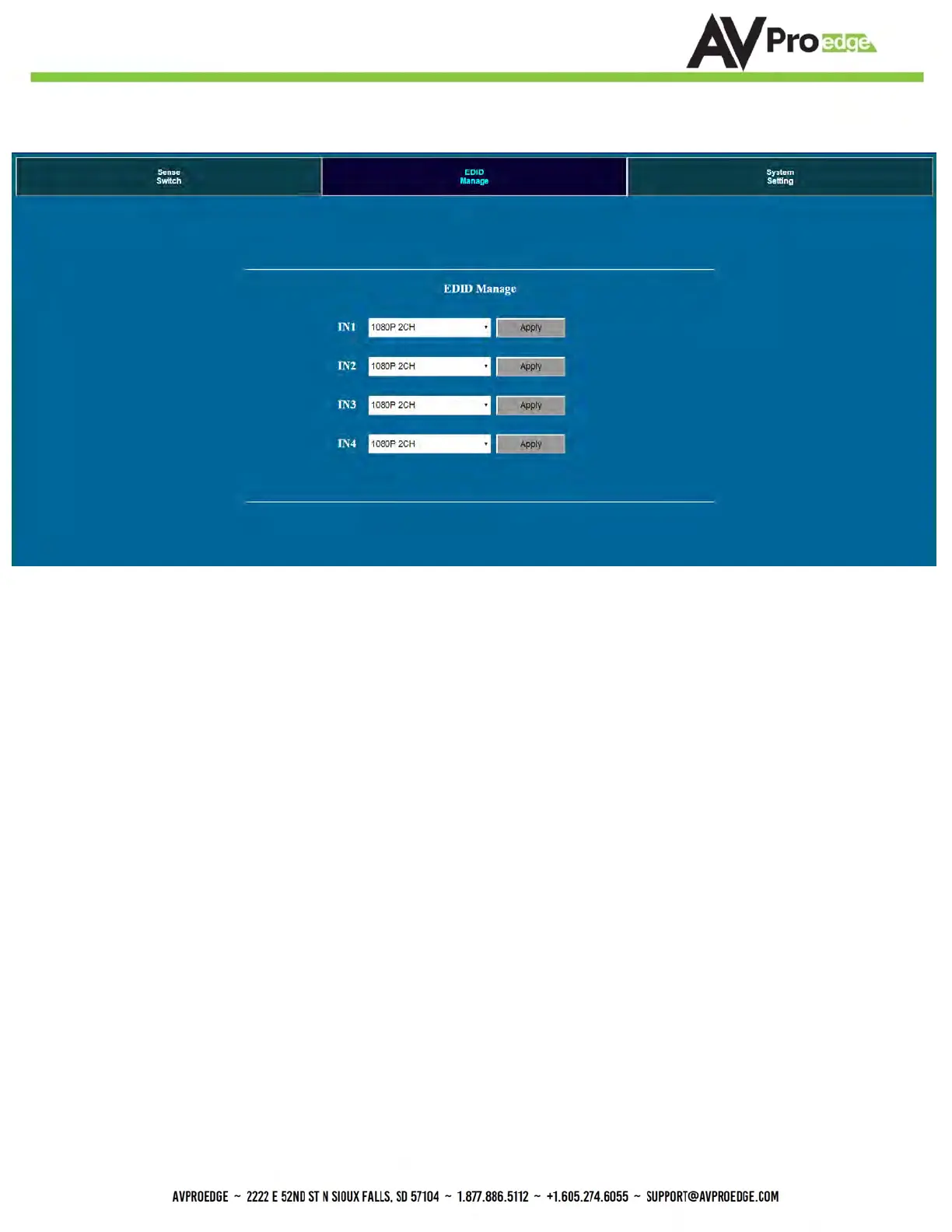
EDID Manage:
Using the built-in EDID manager, a multitude of EDID's can be set for each input, and each
input can be assigned a different EDID. This should be used to optimize sources or to
manage infrastructure.
The EDID options are:
1080P_2CH
1080P_6CH
1080P_8CH
1080P_3D_2CH
1080P_3D_6CH
1080P_3D_8CH
4K30HZ_3D_2CH
4K30HZ_3D_6CH
4K30HZ_3D_8CH
4K60HzY420_3D_2CH
4K60HzY420_3D_6CH
4K60HzY420_3D_8CH
4K60HZ_3D_2CH
4K60HZ_3D_6CH
4K60HZ_3D_8CH
1080P_2CH_HDR
1080P_6CH_HDR
1080P_8CH_HDR
1080P_3D_2CH_HDR
1080P_3D_6CH_HDR
1080P_3D_8CH_HDR
4K30HZ_3D_2CH_HDR
4K30HZ_3D_6CH_HDR
4K30HZ_3D_8CH_HDR
4K60HzY420_3D_2CH_HDR
4K60HzY420_3D_6CH_HDR
4K60HzY420_3D_8CH_HDR
4K60HZ_3D_2CH_HDR
4K60HZ_3D_6CH_HDR
4K60HZ_3D_8CH_HDR
User EDID 1
User EDID 2
User EDID 3
*You can copy the EDID from any output and apply it to any input. Select "Copy EDID from Output
x" (x=1-8). This will copy the EDID from the display and apply it to the selected input. This new EDID will be
stored as "USER EDID 1".
Default IP = 192.168.001.239


 To Next Page