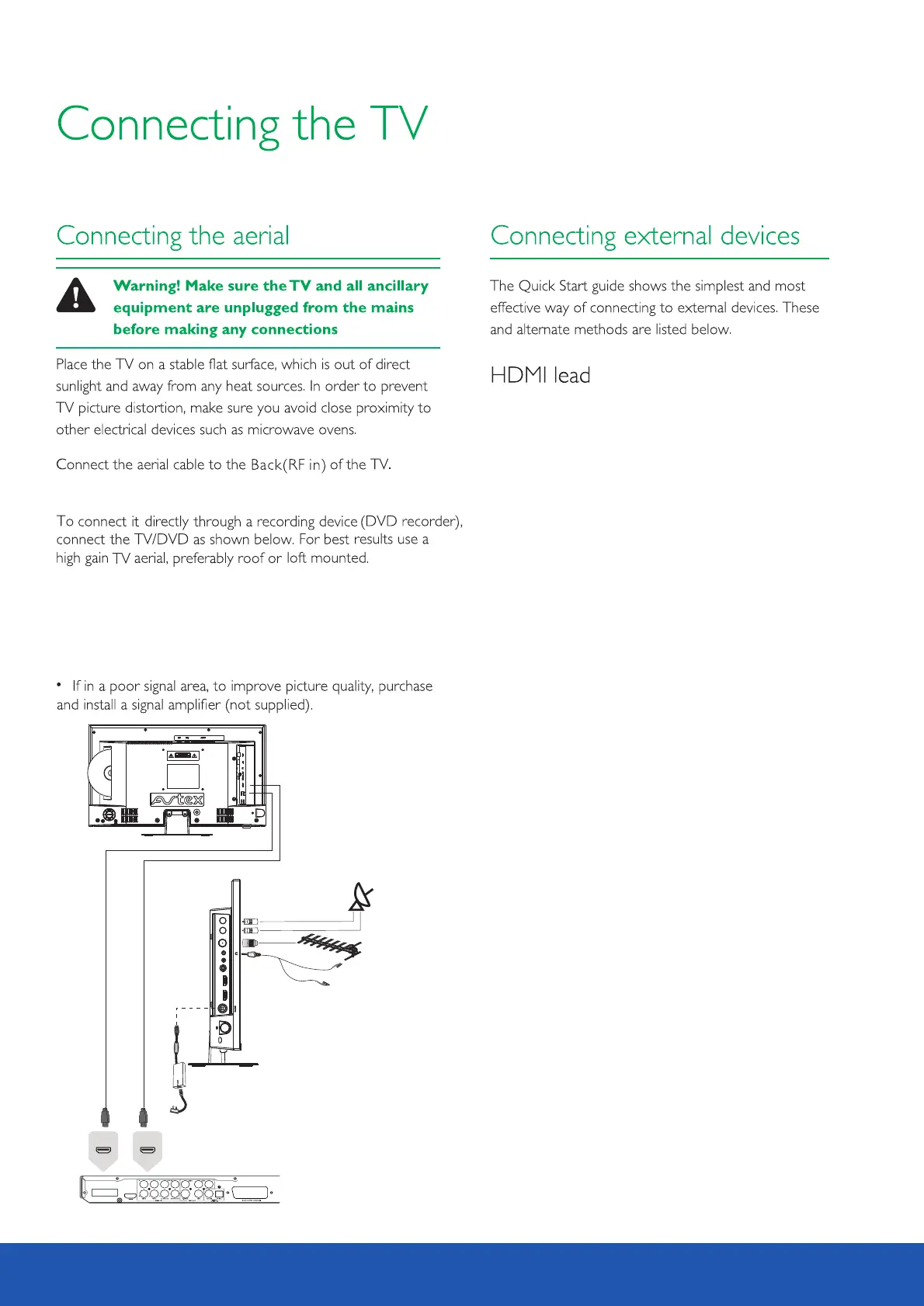
RF cable
HDMI 2
(ARC )
HDMI 1
COAX IAL AV RF SAT1 S AT2
12V/ 24V (AR C) HDMI 1
HDMI 2
Satellite
Rear connection panel
DVD or VCR player
You can connect the TV to a compatible device using
a HDMI lead, using this method will give you optimum
picture.
Connect the cable from the HDMI equipment to one
of the TV HDMI sockets.
The HDMI2 will support the ARC function, so it is
possible to connect the TV to an audio device that
also has ARC capabilities. Please activate this function
in the TV setup menu by setting the CEC and ARC
settings to ON, allowing the standard supplied TV
remote control to control the audio device volume
and standby conditions.
Connect satellite cable to the SAT1 socket for watching
and record, and SAT2 socket for record.
To watch and record different satellite programmes a
separate signal needs to be applied to both Sat 1 and Sat 2
inputs. If only one satellite signal available this MUST be
applied to Sat 1 input. It will still be possible to record one
satellite channel and watch another source simultaneously
12



 To Next Page