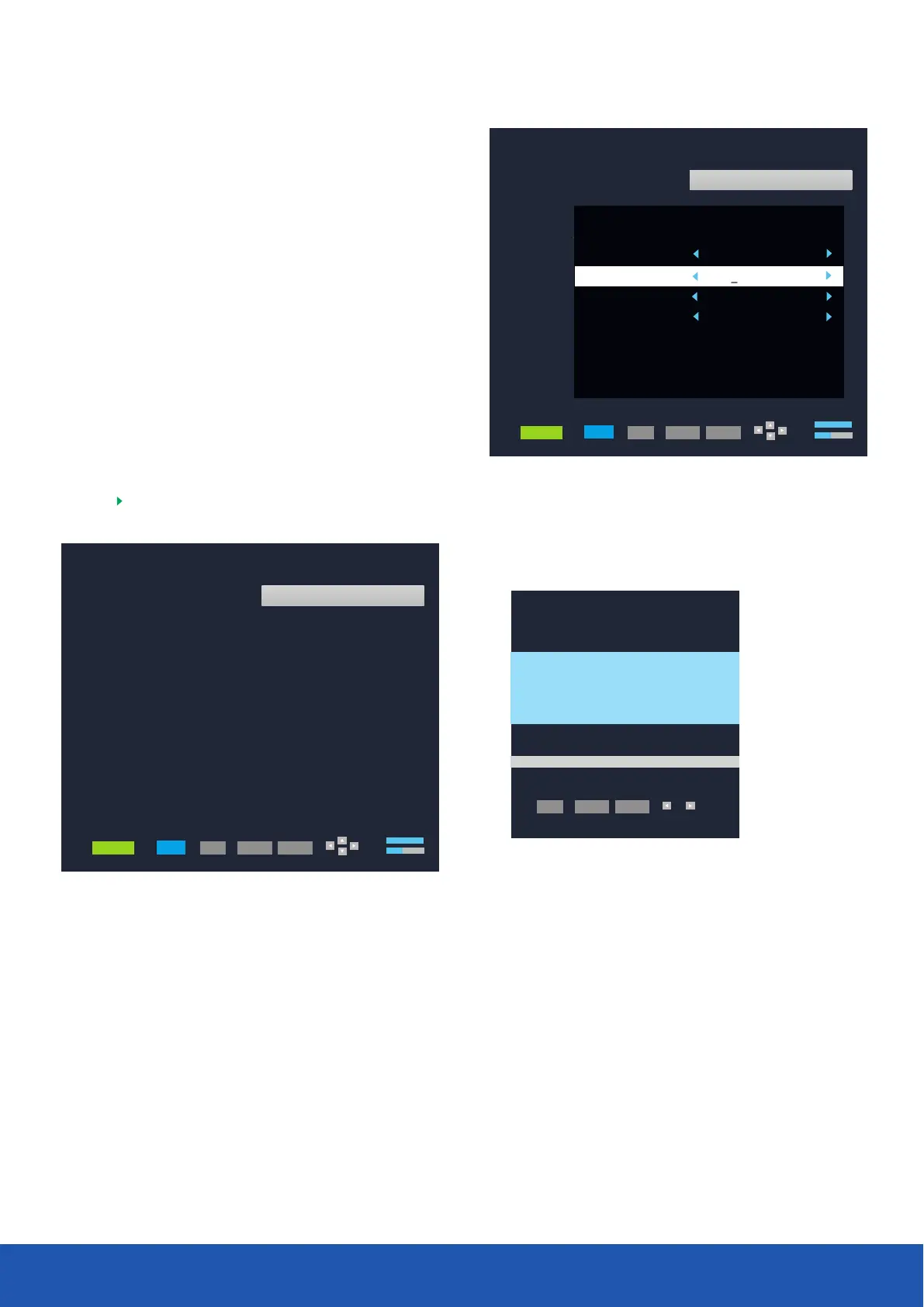
Press scanning button, your Satellite TV will then
automatically scan the new transponder and add any new
channels found and add them to you channel list.
BLUE
Press button Add the new frequency. Symbol rate and
polarity.
Press to store.
RED
OK
Advanced Setup
001 10714MHz H 22000KHz
002 10729MHz V 22000KHz
004 10758MHz V 22000KHz
005 10773MHz H 22000KHz
01 028.2E Ku_ASTRA 2 28.2E
02 019.2e Ku_ASTRA 1 19.2E
03 013.0E Ku_HOTBIRD 13.0E
04 160.0E Ku_OPTUS D1 160.0E
05 152.0E Ku_ASTRA 1E 1G 3A
003 10744MHz H 22000KHz
06 156.0E Ku_NILESAT 101 10
006 10788MHz V 22000KHz
07 023.5E Ku_ASTRA 3 23.5E
08 001.0W Ku_SIRUS 4.8E
09 000.8W Ku_THOR 0.8W
10 005.0W C_ATLANTIC BIRD3 5W
S
Q
MANAGER
SCAN
OK
SETUP
EXIT
007 10803MHz H 22000KHz
008 10817MHz V 22000KHz
009 10832MHz H 22000KHz
010 10847MHz V 23000KHz
Advanced Setup
001 10714MHz H 22000KHz
002 10729MHz V 22000KHz
004 10758MHz V 22000KHz
005 10773MHz H 22000KHz
01 028.2E Ku_ASTRA 2 28.2E
02 019.2e Ku_ASTRA 1 19.2E
03 013.0E Ku_HOTBIRD 13.0E
04 160.0E Ku_OPTUS D1 160.0E
05 152.0E Ku_ASTRA 1E 1G 3A
003 10744MHz H 22000KHz
06 156.0E Ku_NILESAT 101 10
006 10788MHz V 22000KHz
07 023.5E Ku_ASTRA 3 23.5E
08 001.0W Ku_SIRUS 4.8E
09 000.8W Ku_THOR 0.8W
10 005.0W C_ATLANTIC BIRD3 5W
S
Q
MANAGER
SCAN
OK
SETUP
EXIT
007 10803MHz H 22000KHz
008 10817MHz V 22000KHz
009 10832MHz H 22000KHz
010 10847MHz V 23000KHz
008 12647MHz V22420KHz
Add Transponder
Transponder
96
Symbol
Polarity
22000
H
Transponder
10714
Transponder Search
DTV
Radio
9
5
Bad Good
OK
SETUP
EXIT
To select your favourite list whilst viewing press the FAV
button and use the cursor keys to browse through the lists.
When selecting a programme to watch either user the
cursor keys and select OK, or enter the channel number
to view, (needs to be a 3-digit entry i.e. Channel 3 will be
entered as 003).
Due to broadcast changes and to future proof your Satellite TV
opportunity to add any new channels that may get added to the
Access Advanced Setup menu, you will need to input password
To Add New Services/Channels
it is possible to add additional transponders so you have the
channel list.
To add a transponder follow the procedure below:
(default 0000)
Press the button to enter satellite and TP Manager
Select the satellite you are tuned to (default Astra 28.2), and
press the button enter TP list.
GREEN
16



 To Next Page