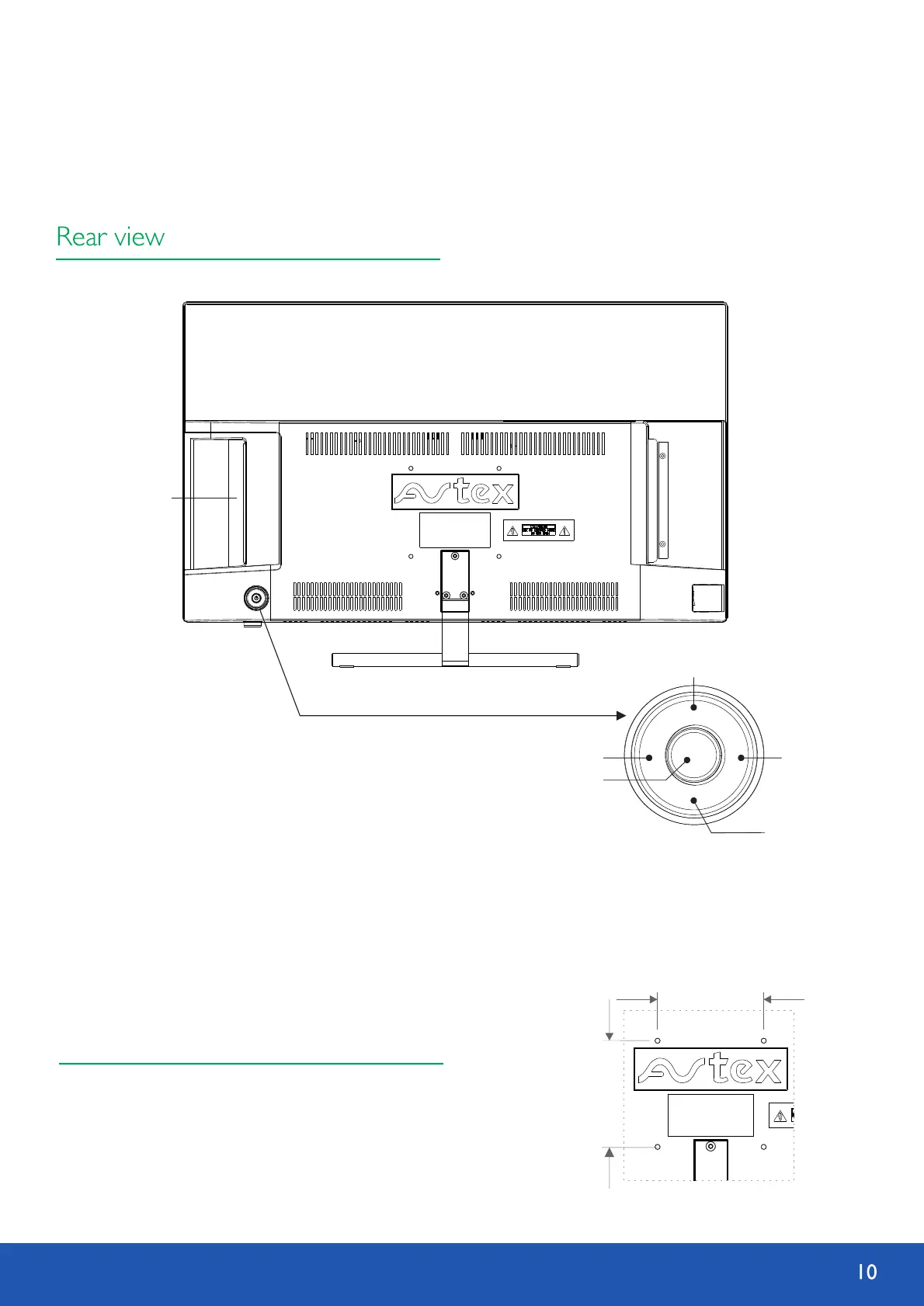
Standard 100mm x 100mm VESA mount using
M4x10mm size screws.
100 mm
1
0
0 m
m
Wall Mounting
Parts identification
Disk in/out door
3
4
1
2
5
1. Power on/ OK Press to turn on TV. When TV is on press and hold
(more than 2 seconds) to activate on-screen E-dial menu.
2. Vol -/ Menu Decrease volume. When on-screen E-dial menu is activate,
choose to access OSD menu.
3. Up/ AQT Move the curser up in OSD menu. When on-screen E-dial menu
is activate, choose to start autoscan in DTV.
4. Vol +/ Input Increase volume. When on-screen E-dial menu is activate, choose to change input source.
5. Down/ STAND BY Move the curser down in OSD menu. When on-screen E-dial menu is activate, choose to go
into TV standby mode.


 To Next Page