18
Favourite(Digital TV only)
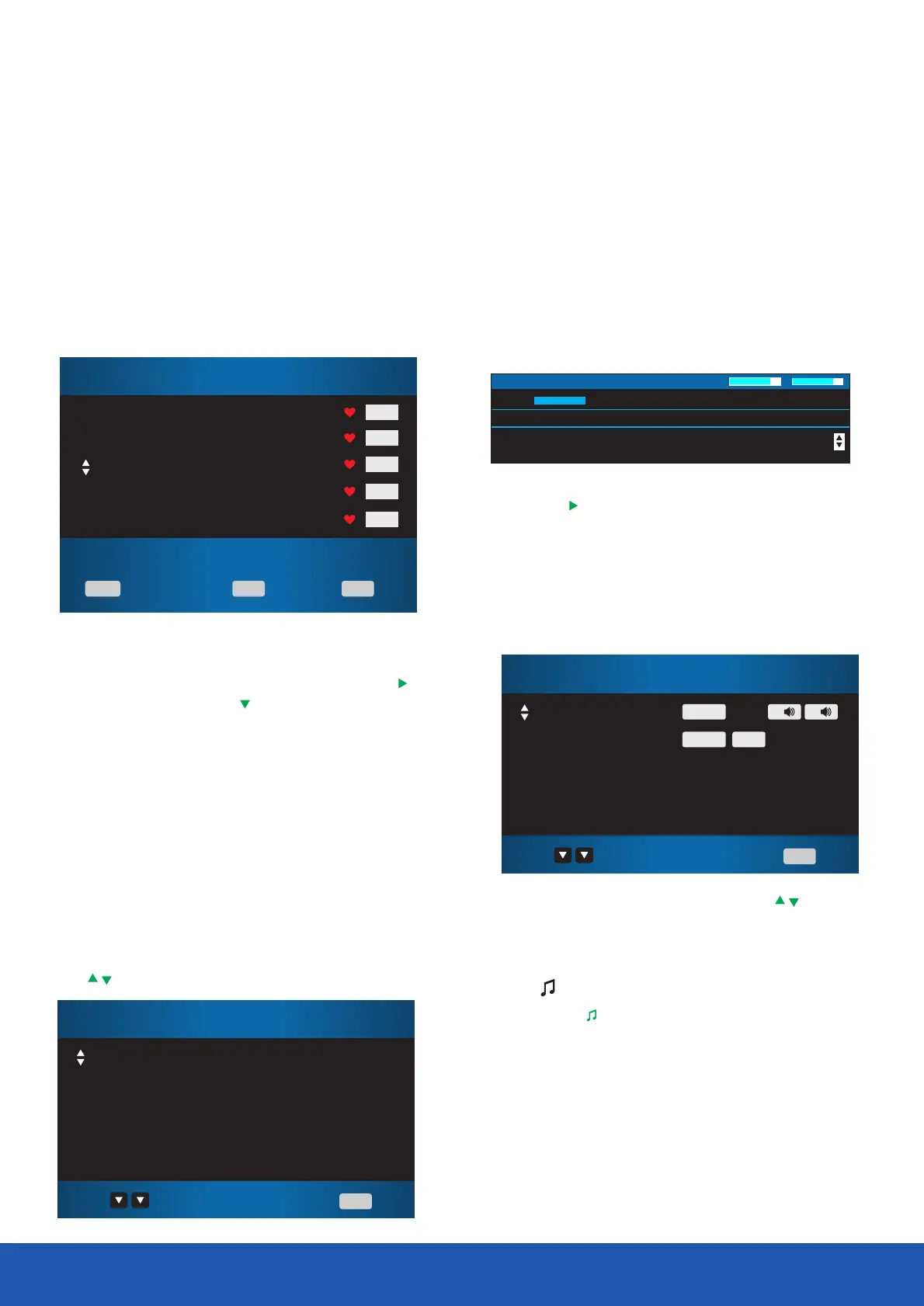
To add a channel to the Favourite List, press the MENU
button and scroll down to the Channel Setup.Press the button
to access the menu.Press the button to select Programme Edit
then press .OK
In the Programme Edit menu is a list of all available channels.
Select the channel that you want to add to the Favourite List.
Press the button to add the selected channel. A heart will Fav
appear next to the selected channel.Press the Exit button to
exit the menu.
Subtitle
If a channel has subtitles available, you can select the subtitles
by pressing the button.Select the required language using Subt
the buttons then press .OK
You can enter the Favourite menu while watching a channel
by pressing the button.The following menu will appear on Fav
the screen:
You can view the information for the next programme by
pressing the button.
Audio
• In Digital mode press the button to change the Audio
audio language and sound track The following menu will be
displayed.
Information
• Select the required audio language using the buttons
then press .OK
• Audio language option is dependent on broadcast.
TV/
Press the button to switch between Digital TV and TV/
Digital radio modes.
You can view the programme information for the channel you
are watching by pressing the button. The following menu Info
is a typical example of the programme details that will be
displayed.
Operating the TV
Salvador:Series in which Dan Roland travels the world sampling
the best authentic street food.This editton comes from Salvador
19 UKTV Br`tldeas 12:41 Wed. Jun 12 2019
S
Q
15:30 16:00 Street Cafe Lifestyle
576i
DTV SD
Page Up/Down
Select
Exit
Exit
OK
CH+/CH-
803 SBS ONE
804 SBS HD
806 SBS 3
807 SBS 4
808 La7
Page Up/Down
Select
ExitExit
OK
CH+/CH-
Favourite List
DTVDTV
DTVDTV
DTVDTV
DTVDTV
DTVDTV
English
English
Select
ExitExit
Audio Language
DTVL DTVRMPEG
DTVMPEG DTVV.I.
Off
English
Select
ExitExit
Subtitle Language



 To Next Page