Item
BRIGHTNESS
To adjust brightness
CONTRAST
To adjust contrast
SATURATION
To adjust color saturation
This product can store up to 100-channel programs (0 99). You can scan and
store all the channels through manual or automatic mode.
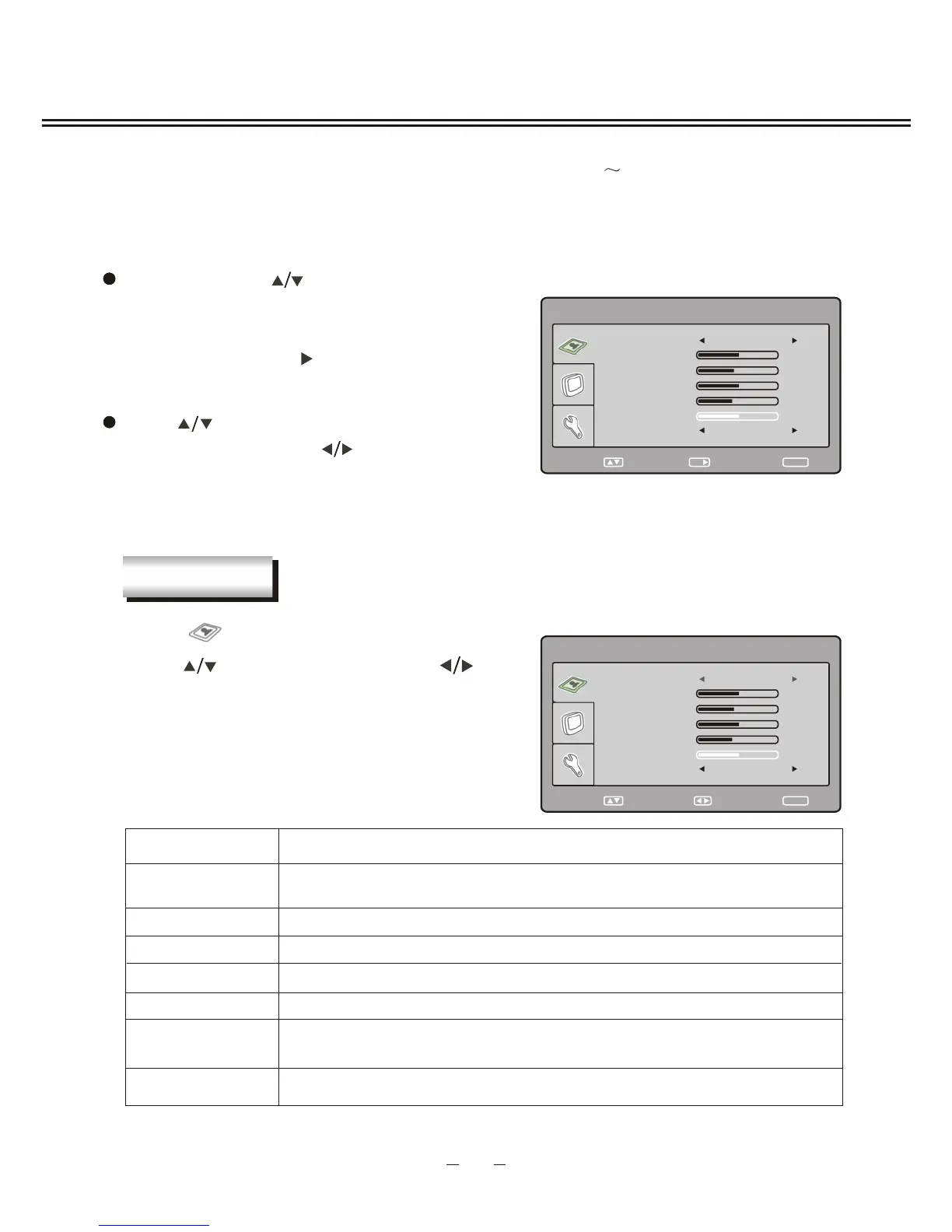
In TV mode, press [SETUP] button on the remote control or top panel and menu will show
as follows:
Through pressing [ ] button on the remote control,
you can select main menu sections(main menu
sections consist of
. Press [ ] or [OK] button to enter
this menu section.
" PICTURE " , " TV SETTING " ,
" SYSTEM ")
Press [ ] button on the remote control to select
the item, and then press [ ] button to adjust
parameter value. Press [SETUP] button to save
your selection and return to main menu sections.
Select " " and menu will show as right :
Press [ ] button to select items and [ ]
button to adjust.
TV MENU SETUP
Description
SHARPNESS
To adjust picture sharpness
TINT
To adjust picture tint, only valid in N 3.58/N 4.43/PAL60 and display
mode with V-scanning frequency equal 59.94
12
PICTURE
SELECT RETURN
SETUP
PICTURE
BRIGHTNESS
50
CONTRAST
40
SATURATION
50
SHARPNESS
34
TINT
50
ENTER
OK
PICTURE MODE STANDARD
COLOR TEMP STANDARD
SELECT RETURN
SETUP
PICTURE
BRIGHTNESS
50
CONTRAST
40
SATURATION
50
SHARPNESS
34
TINT
50
PICTURE MODE STANDARD
COLOR TEMP STANDARD
ADJUST
PICTURE MODE
Can be changed between: USER , STANDARD , DYNAMIC
and SOFT .
" " " " " "
" "
COLOR TEMP
To select a color temp between : , COOL WARM ."STANDARD " " " and " "


 To Next Page