CHANNEL
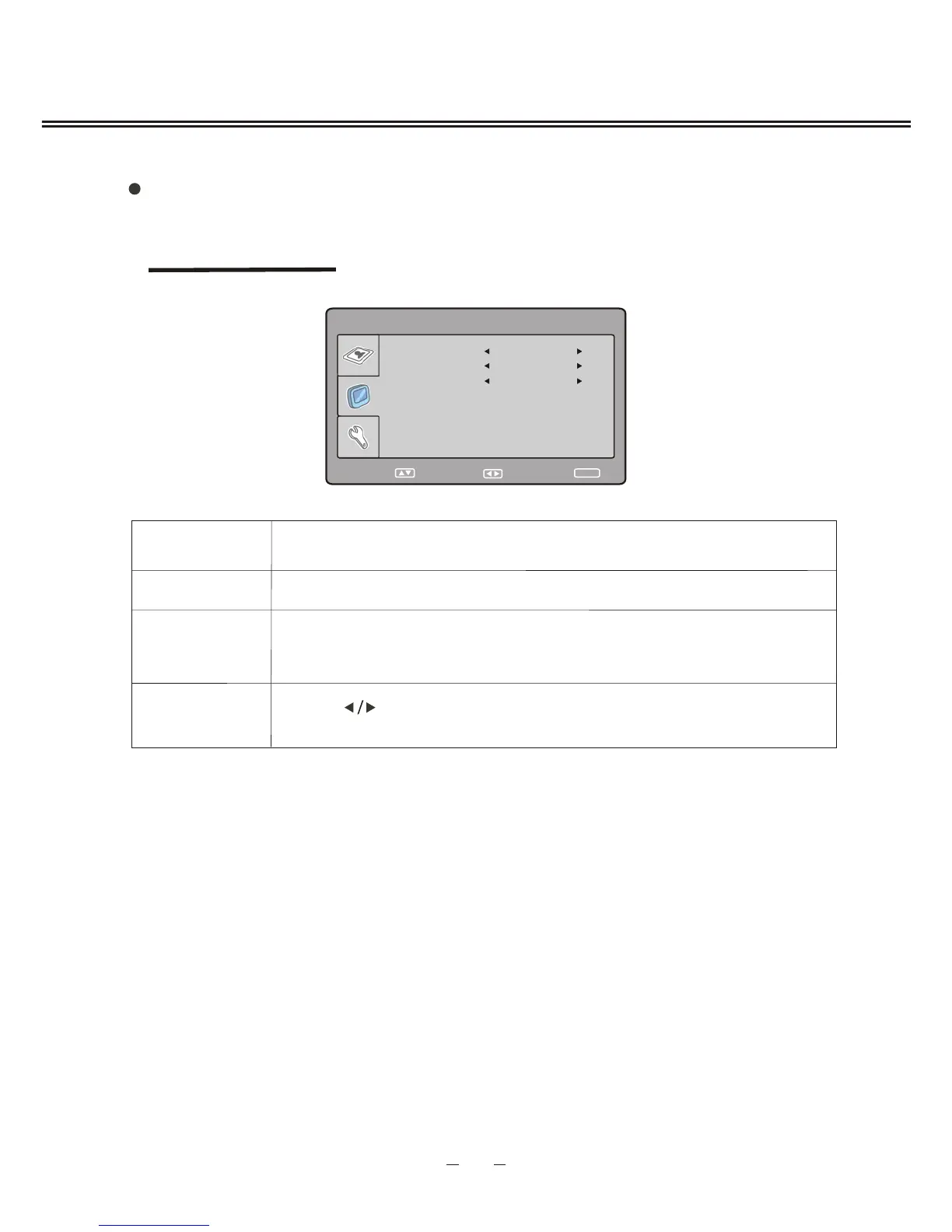
SKIP
SWAP
To select current channel .
To select "ON" or "OFF ", you can select " ON " to make current
channel unaccessible while using [CH+/-] button to browse
channels.
Press [ ] button to select the channel, and press [OK] button to
swap the channel.
Description
Item
14
TV MENU SETUP
TV SETTING
SKIP
SWAP
CHANNEL 2
OFF
38
SELECT RETURN
SETUP
ADJUST
during the searching, you can press [SETUP] button to stop.
CHANNEL EDIT



 To Next Page