Search Result
TV channels: 0 Radios: 0
Progress:
DTV MENU OPERATION
Channel Search
OK
EXIT
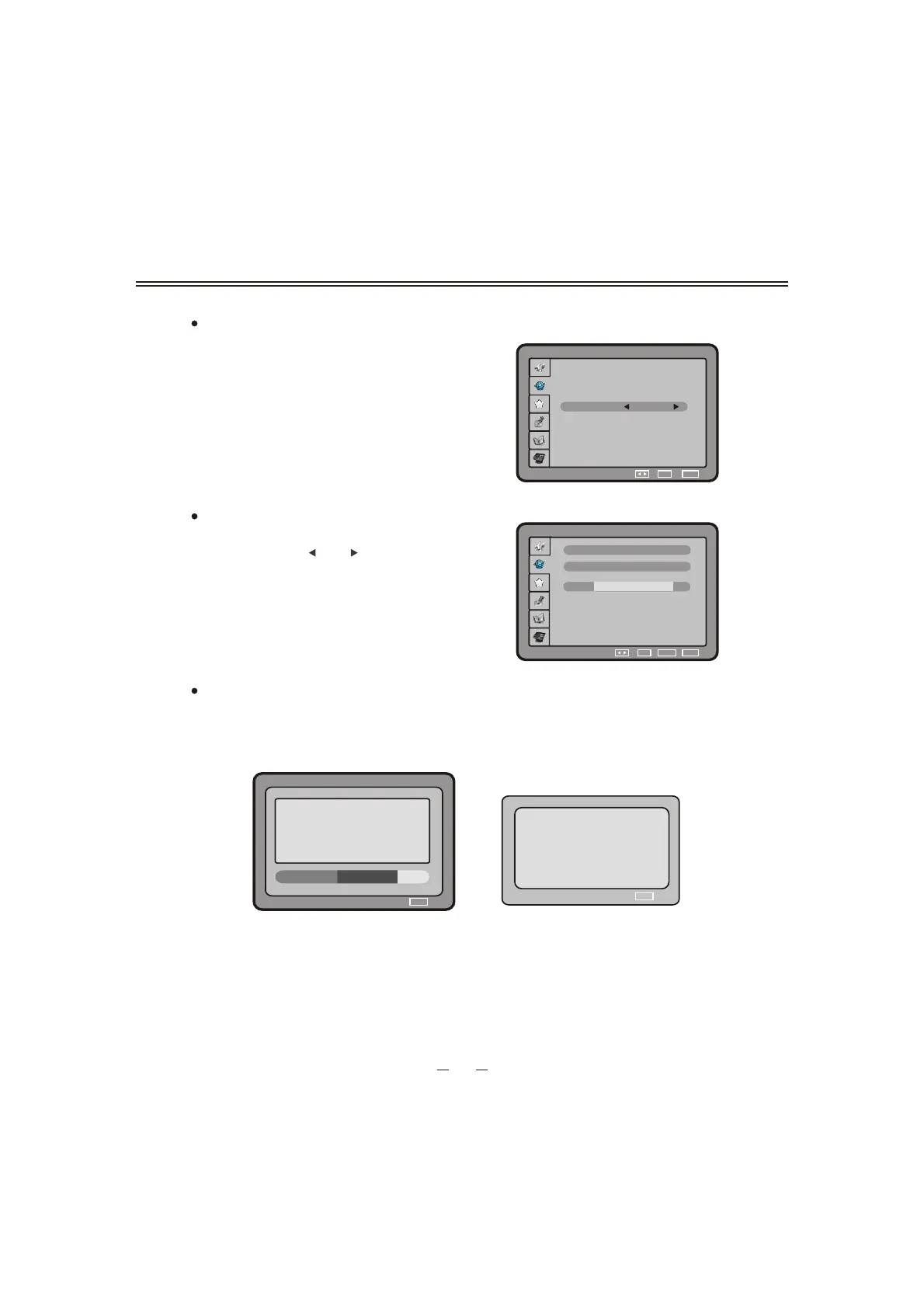
Channell Search
Installation type
New
No New channel
Please wait...
You can set the search mode as new or add .
Note: If the mode is new, will delete the old
channel the current frequency.
If the mode is add, do not delete the
old channel the current frequency.
Manual Search
Select the Chanel i tem you can select the
frequency by the [ ] or [ ] button.
Search Result
You can see all TV and Radio channels found while the channel search is in progress.
A pop-up will indicate you that the automatic installation is finished. This pop-up will
disappear automatically after a few seconds.
Channel
Frequency
OK EXIT
Manual Search
Quality
21
474.000
SETUP
44
Then press [ OK ] button to confirm it.
Then press [ OK ] button to search the channel.
SETUP
SETUP


 To Next Page