DTV MENU OPERATION
MHEG5
Newsround
15:50 30 Jan
B B C NEWS
CBBC
Press TEXT to exit
press 0 for full screen TV
HOME
SHORTCUTS
B B C
BACK INDEX
571
'Super-lice' fighting nit
shampoo
Jonny wilkinson back for
England
Grey wolf makes amazing
comeback
Elephants stage h ighway
robberies
McLeish named new Sottl and
coach
More...
50
If your chosen channel has MHEG5 features, you can access them. Teletext services
often load automatically shortly after the Digital Te letext window is displayed.
In which case, simply follow the given instructions ( press color buttons).
1. Press [TEXT] or [RED] button to access MHEG5
features.
2. Press [TEXT] or [RED] button again to return to
normal viewing.
3. Press the [CH+/-] button to exit this service.
TV
1 BBC ONE Wales
2 BBC 2W
79 CBBC Channel
80 BBC NEWS 24
105 BBCI
800 Te letx.german
7 BBC THREE
EXITOK
PAG
+
-
FAV
The Channel selector is activated by a press on the OK button while in viewing mode.
This screen presents the channels of the current default/favourite lists. When selecting a
channel of this list with the OK button, the DTV changes the video background accordingly.
When you press the OK button on the selected service, the DTV switches to viewing mode
and changes the selected channel accordingly. Zapping can also be done by entering
channel number using digit keys.
The channel list is displayed and is automatically
removed from the screen after few seconds.
The screen bellow corresponds to the TV list.
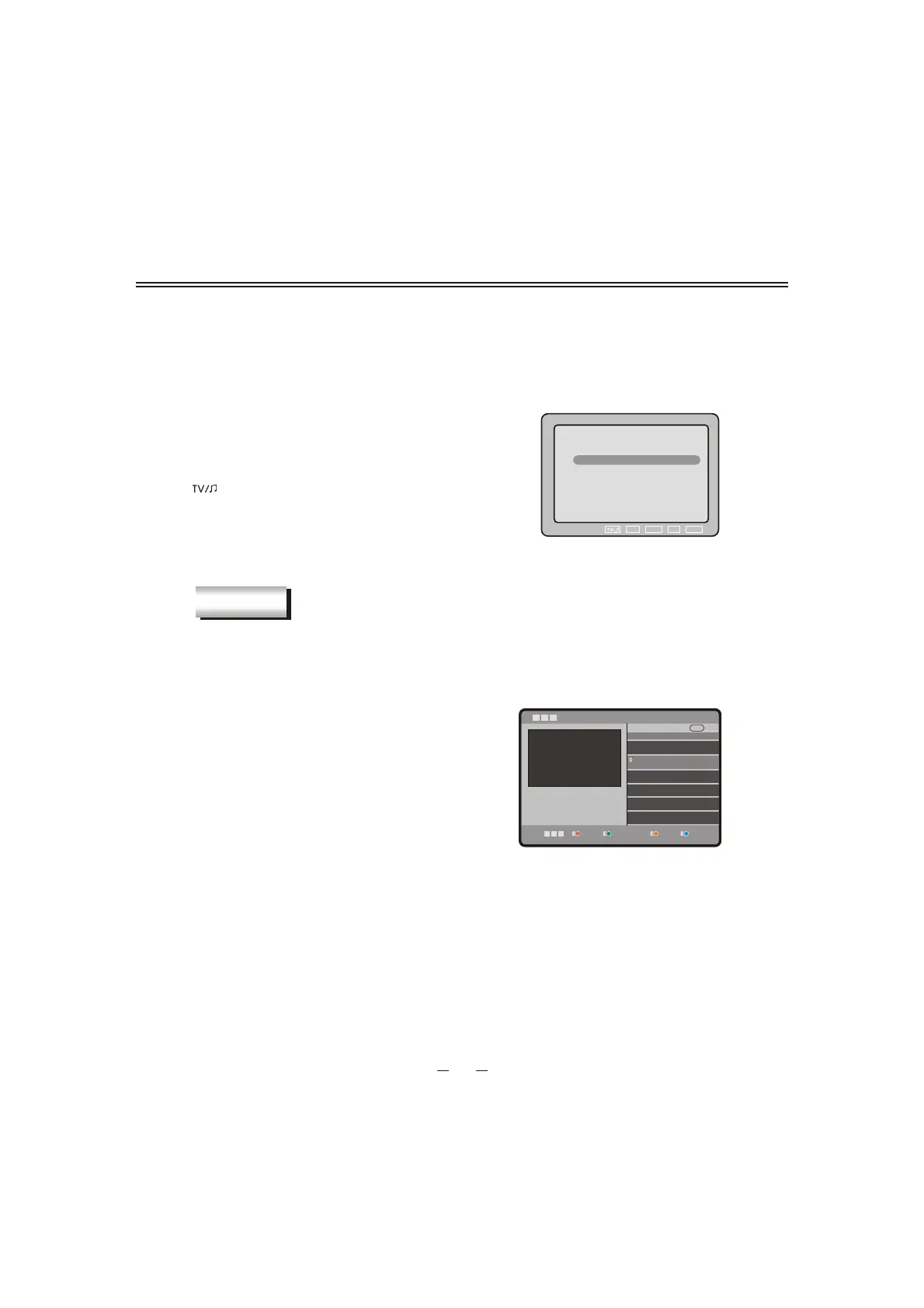
You can toggle from TV lists to Radio lists using the
[
] button and between dif
ferent TV lists using
[FAVORITE] button.


 To Next Page