SCREEN ICONS
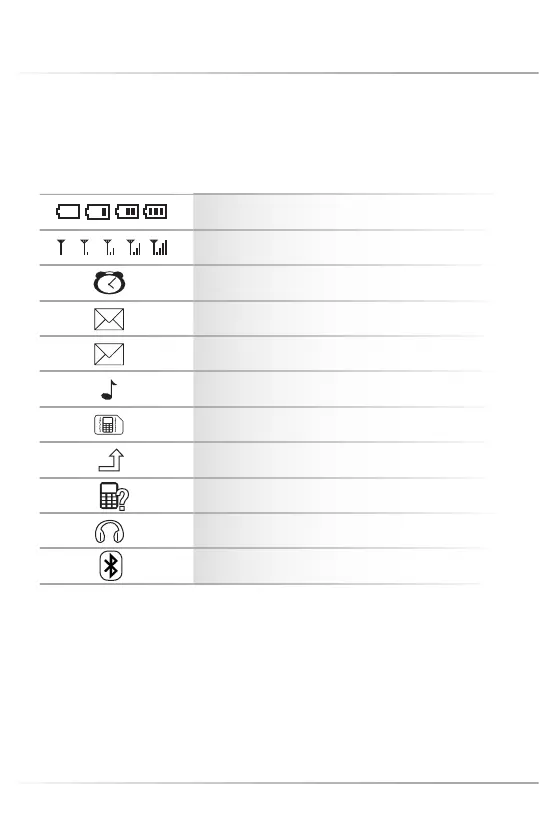
Icons may appear on the screen:
Battery status
Signal status
Alarm
Unread message (SMS)
Unread multimedia message (MMS)
Ring
Vibration
Call divert
Missed call
Earphones plugged in
Bluetooth activated
39
M
Display and Status Symbols
LED STATUS DISPLAY
(at closed fl ipp phone):
1. The left, red LED fl ashes, if the mobile phone will be charged. After the mobile phone
was charged completely, the right, blue LED will fl ash. If you disconnect the charger,
all LEDs will turn off.
2. The right, blue LED fl ashes, if you have unread messages or missed calls.



 To Next Page