
 Need help?
Do you have a question about the AVYCON AVC-ELN41FT 2.8 and is the answer not in the manual?
Provides essential safety guidelines for operating the camera, including handling, environment, and maintenance.
Key precautions for safe handling, mounting, and power usage of the camera to prevent damage or malfunction.
Details the necessary operating system, CPU, RAM, graphic memory, and network protocols for the camera.
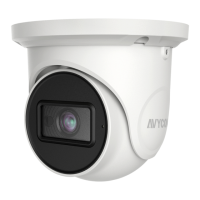
Identifies and labels the various connectors and parts of the AVYCON IP Network Camera.
Step-by-step instructions for properly connecting the network cable to the camera's hermetic connector.
Detailed steps for installing the camera, including disassembling, inserting an SD card, and using the drill template.
Guide on connecting the camera to a LAN, using IP-Tool to find and access the camera, and initial login procedures.
 General
| Model | AVC-ELN41FT 2.8 |
|---|---|
| Category | Security Camera |
| Image Sensor | 1/3" Progressive Scan CMOS |
| Lens Type | Fixed |
| Focal Length | 2.8mm |
| Night Vision | Yes |
| IR Distance | Up to 30m |
| Weather Resistance | IP67 |
| Operating Temperature | -30°C to 60°C (-22°F to 140°F) |
| Resolution | 2560 × 1440 |
| Power Supply | DC 12V |

 To Next Page
