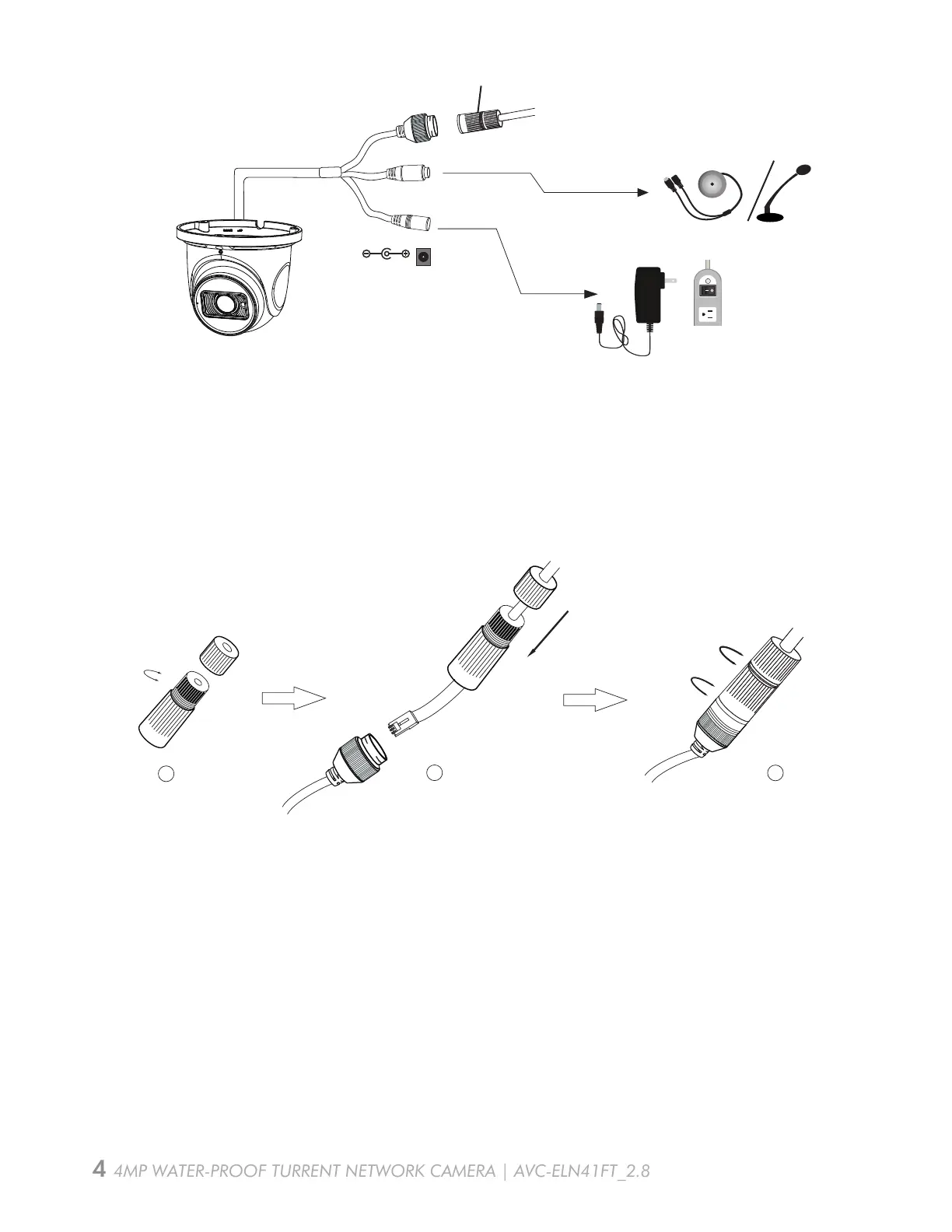
Overview - Connecting Network Cable
AVC-ELN41FT_2.8
2
1
3
4MP WATER-PROOF TURRENT NETWORK CAMERA | AVC-ELN41FT_2.8
Security Cap
DC12V
* 1,It is recommended to install the security cap for outdoor installation.
* 2, If the PoE switch is used to power the camera that supports PoE power supply,
DC12V power supply is not required.
Step 1: Loosen the nut from the main element.
Step 2: Run the network cable (without RJ 45 connector) through the both elements. Then
crimp the cable with RJ 45 connector.
Step 3: Connect the cable to the hermetic connector. Then tighten the nut and the main
cover.


 To Next Page