GENERAL OPERATION
Notes:
Remove the stylus protector. Be sure that the tone arm is detached from the tone arm rest before
operation and resecured again afterward.
1. Set the “FUNCTION” selector to “PHONO” mode.
2. Set the “SPEED” selector to the proper speed depending on the record to be played.
3. Place the record on the platter.
4. Lift the tone arm from the rest and slowly move it to the record side. The platter will begin to rotate.
5. Place the tone arm on the desired position.
6. Adjust the “VOLUME” control to the desired level.
7. At the end of the record, the platter will automatically stop rotation. Lift the tone arm from the record
and return it to the rest.
8. To stop manually, lift the tone arm from the record, and return it to the rest.
Notes:
As some kind of record the auto - stop area was out of the unit setting, so it will stop before the last
track finish. In the case, set the “AUTO - STOP” selector to “OFF” mode, then it will run to the end of
the record but will not stop automatically. ( Set the “FUNCTION” selector to “OFF” mode or set the
“AUTO - STOP” selector to “ON” mode to stop the playback. ) Put back the tone arm to the rest.
STYLUS REPLACEMENT
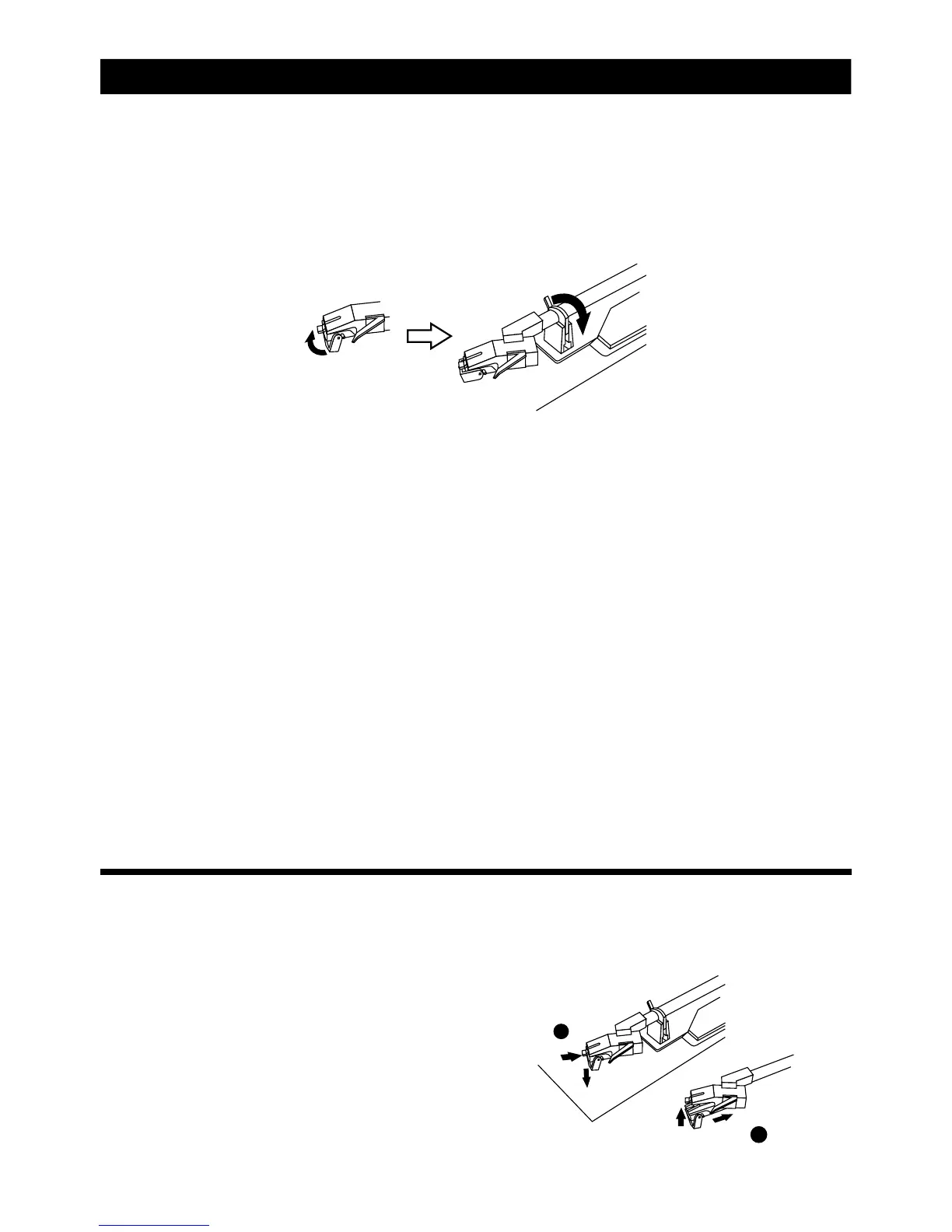
Replacement of a worn stylus can be easily accomplished as follows:
1. To remove the old stylus, pull out the stylus
assembly in direction shown, holding the head
shell with your other hand.
2. Then install the new stylus by pushing it gently
into the cartridge ( hold by the edge to prevent
damage to stylus. ) until it clicks into place.
PHONO OPERATION
E-10
1
2



 To Next Page