15
14
OPERATION
OPERATION
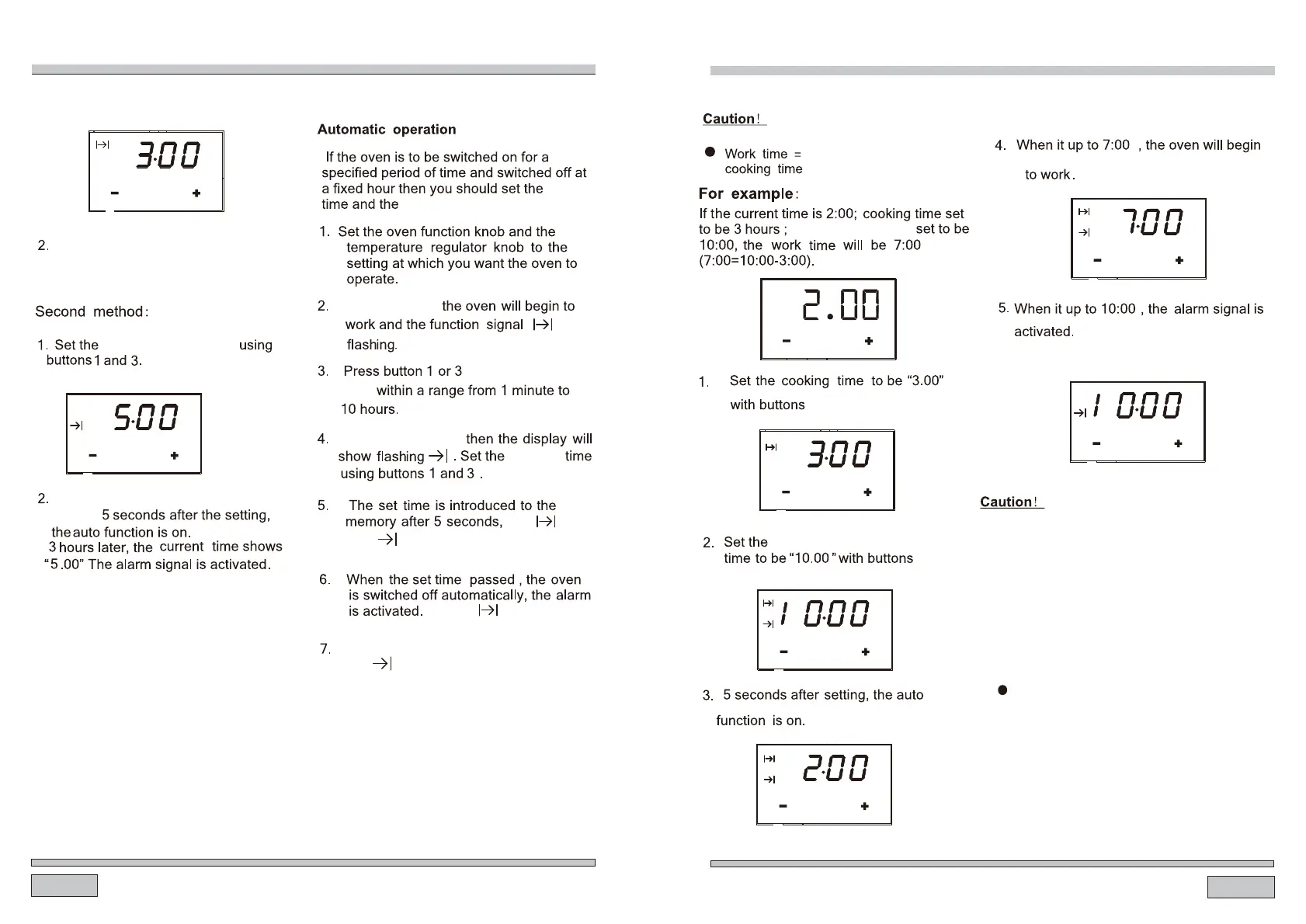
End of cooking time automatically
change to 5:00.
end of cooking time
Cooking time automatically change
to 3:00.
M
1 2 3
M
1 2 3
cooking
Press , button 2
to adjust the cook
time,
the
and always on.
cooking
And press button 2.
Press any button,the alarm signal and
the icon go off,will Or
end of cooking time:
the alarm
after 2 minutes.
turned signal will be off automatically
and the will go off.
● If the cooking time set to be 0 or the
end of cooking time set to be the current
time,the auto function will be off.
1 and 3.
1 and 3.
end of cooking time-
1 and 3.
end of cooking time.
● End of cooking time > current time
+ cooking time <= 10hours
At least more than one minute cooking
time, cooking time and end of cooking
time must be set.
●
After the auto function be off,the cooking
time to 0,end of cooking time and current
time remains the same.
The oven is switched off
automatically.
M
end of cooking time
1 2 3
M
1 2 3
M
1 2 3
M
1 2 3
M
1 2 3
M
1 2 3


 To Next Page