PRODUCT BRIEF INTRODUCTION
[ 9 ]
PRODUCT BRIEF INTRODUCTION
[ 10 ]
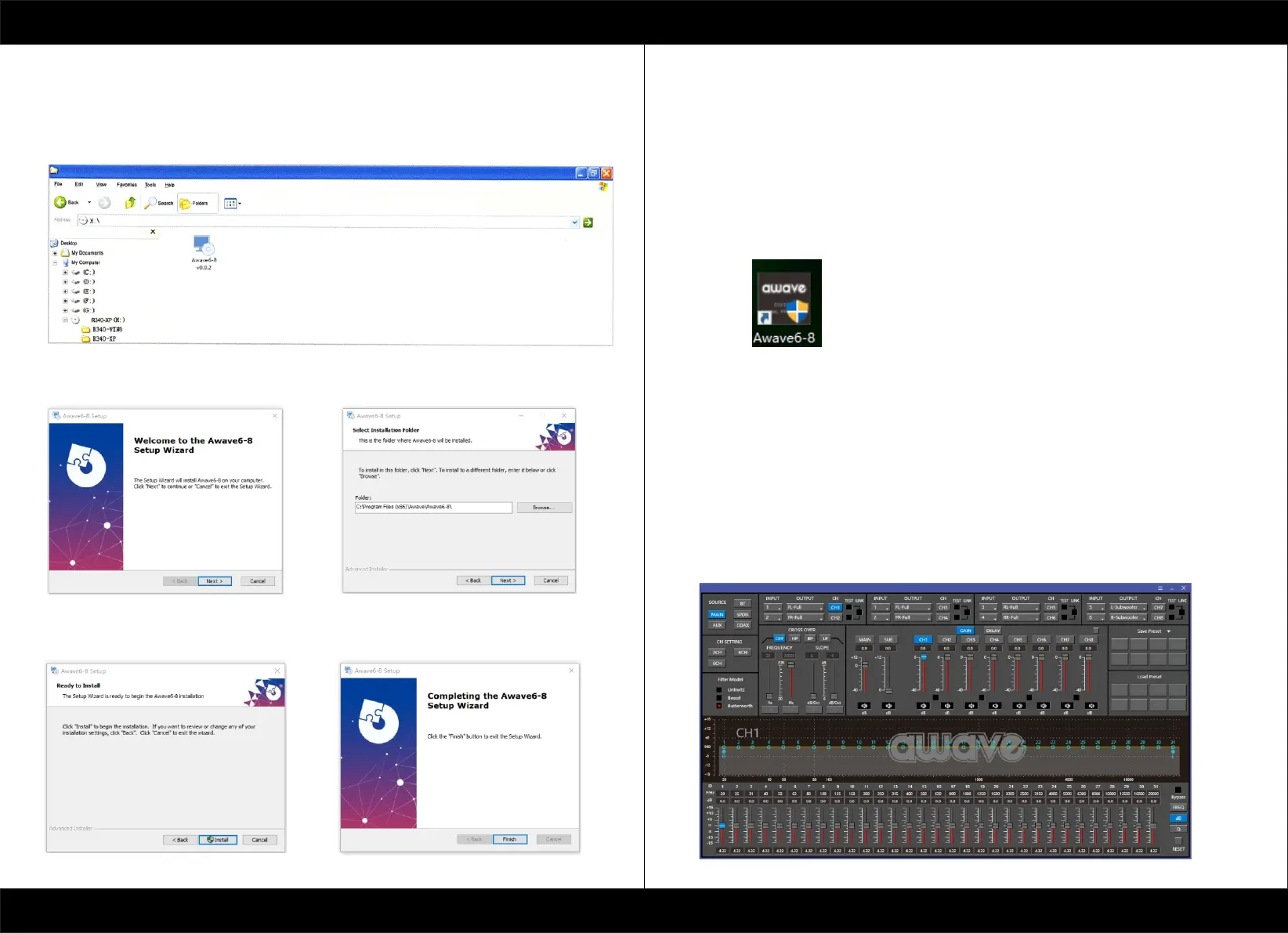
6.SOFTWARE INSTALLATION
6.1 DSP GUI installation
1.Insert CD, Double-Click DSP
2.Click NEXT
3.Click NEXT
4.Click NEXT
5. Click NEXT
7.GUI OPERATION INSTRUCTION
7.1 Guide to GUI after installation
1. Double - click icon of DSP-CONTROL
2. Enter the GUI you long for! Now you could tone every signal details as experts do
To bring sound effect on your beloved car to a higher level.If the password has been set,
You need to enter the password.


 To Next Page