1.2 - SPECIFICATIONS
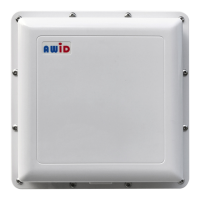
1.2.1 - LR-3000 READER
Between +7 volts DC and +15 volts DC
Input current (peak load):
Frequency-hopping channels:
Wiegand electrical protocol, and RS-232 serial (simultaneous transmission)
Molded ABS plastic, on 1/8 inch aluminum back plate; white color
Temperature for 100% duty cycle
31 to 113 °F ( 35 to 45 °C)
Temperature for 50% duty cycle
-31 to 150 °F (-35 to 65 °C)
0% to 95%, non-condensing
IP65 rated, weather grommets
* Read distance is determined by which credential is being read. Refer to section 3.4 for more information.
1.2.2 - CABLE EXITING FROM LR-3000 READER
The cable that is integrated into the LR-3000 is 22 gauge, 10 conductors, multi-conductor wire, color-coded insulation, not twisted pairs,
overall 100% shielded, 32 inches long. (The 10-pin connector on the reader's cable is used for factory testing only. The installer
removes the connector and strips the insulation.)
Color Assignment:
Connect to power supply positive
Connect to power supply negative
Connect to reader's black wire for arming the RF generator.
Wiegand interface, Data-0
Wiegand interface, Data-1
Connect to the panel's Data-Common or Common-Ground
RS-232 interface, Transmit Data
Connect to controller's Receive Data
RS-232 interface. Receive Data
Connect to controller's Transmit Data.
Connect to shields of extended cables. Do not ground.
1.2.3 - WIRING FROM READER TO PANEL AND POWER SUPPLY
The LR-3000 reader requires cables with particular specifications. If the installation will use separate cables from the reader to the
power supply; and from the reader to the access control system, use these specifications —
• Power cable: 18 to 22 gauge, 2 conductors, multi-conductor wire, color-coded insulation, overall 100% shielded.
• Data cable: 22 gauge, 3 conductors, multi-conductor wire, color-coded insulation, not twisted pairs, overall 100% shielded. If power
and data share the same cable, use these specifications —
• Combined cable: 18-22 gauge, 5 conductors, multi-conductor wire, color-coded insulation, not twisted pairs, overall 100% shielded.
• The maximum allowable length of cable for Wiegand interface is 500 feet. The maximum specified length of the cable for RS-232
interface at 9,600 bits per second is 75 ft; this may be stretched for certain equipment to 500 ft or more using suitable cable. Voltage
levels at the reader must be within specifications.
• Unlike proximity readers, the LR-3000 reader uses 2 separate wires for Power Negative (black) and for Data-Common (blue). These
wires must not be connected to ground, or to each other, or to any other circuit.


 To Next Page