SECTION 3 - INSTALLING
3.1 - PREPARATION
3.1.1 - GUIDELINES FOR THE INSTALLATION
• Plan about one car length between the reader and the gate, where possible. This allows the vehicle to continue moving slowly as the
tag is read and as the gate opens.
• Select a reader location where the vehicle can move in a straight line for one vehicle length as the tag is read.
• Use an adjustable mount or bracket for pan and tilt-down aiming of the reader at the desired read zone where most of the credentials
will be located in and on the vehicles. (See LR-MB-0-0)
• Select a reader height that matches the location of credentials in and on the vehicles.
• Position the reader and credentials so that they are facing and parallel to each other when credentials are in the desired read zone.
• Restrict the vehicles to a lane that is a single vehicle width. Use lane markings, cones, bollards or barriers to assure that vehicles stay
close to the reader.
3.1.2 - WIRING — BEST PRACTICES
• Use only shielded cable in conjunction with the LR-3000. Unlike proximity readers, do not ground the LR-3000 readers’ cable
shields.
Use a separate cable for each reader. Do not share; the reader’s cable with wires that carry switched power, like door locks, or power to
electrically noisy devices. (Data, TTL control, and dry-contact circuits may share the LR-3000's cable.)
• Do not connect the wires for two LR-3000 readers in parallel. Neither power nor data lines should be in parallel. (Parallel connection
changes the pulse transmission characteristics, and prevents the host system from identifying the reader's addresses individually.)
• Connect the reader's negative power wire (black) first and positive power wire (red) last. Disconnect in the opposite order.
• Remove power from the reader before making any wiring changes.
• The LR-3000 reader's bare silver wire for cable shield drain must NOT BE connected to a ground terminal.
• Unused wires from the reader's cable must be taped or capped separately.
3.2 - INSTALLING THE READER
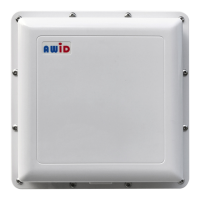
These installation instructions are for the LR-3000 reader's Wiegand interface, using Data-0 and Data-1 wires.
Note: LR-3000 wiring is not the same as a 125 kHz proximity reader. Follow the instructions in Section 3.2.2. If a serial interface using RS-232
protocol will be used, please download AWID’s Technical Reference on RS-232 Reader Interface.
Collect these items to install the readers and credentials at the site —
• LR-3000 readers • UHF long-range credentials
• Mounting brackets and housings • LR-TEK Support Kit
• Power supplies, cables, and other material • "LR-3000 Installation and Operation Manual"


 To Next Page