Page | 7
MOUNTING THE AWNING:
Step 8) Place awning temporarily in desired location on intended mounting surface. Using a #2 pencil,
mark the wall along the inside of the frame and then remove awning.
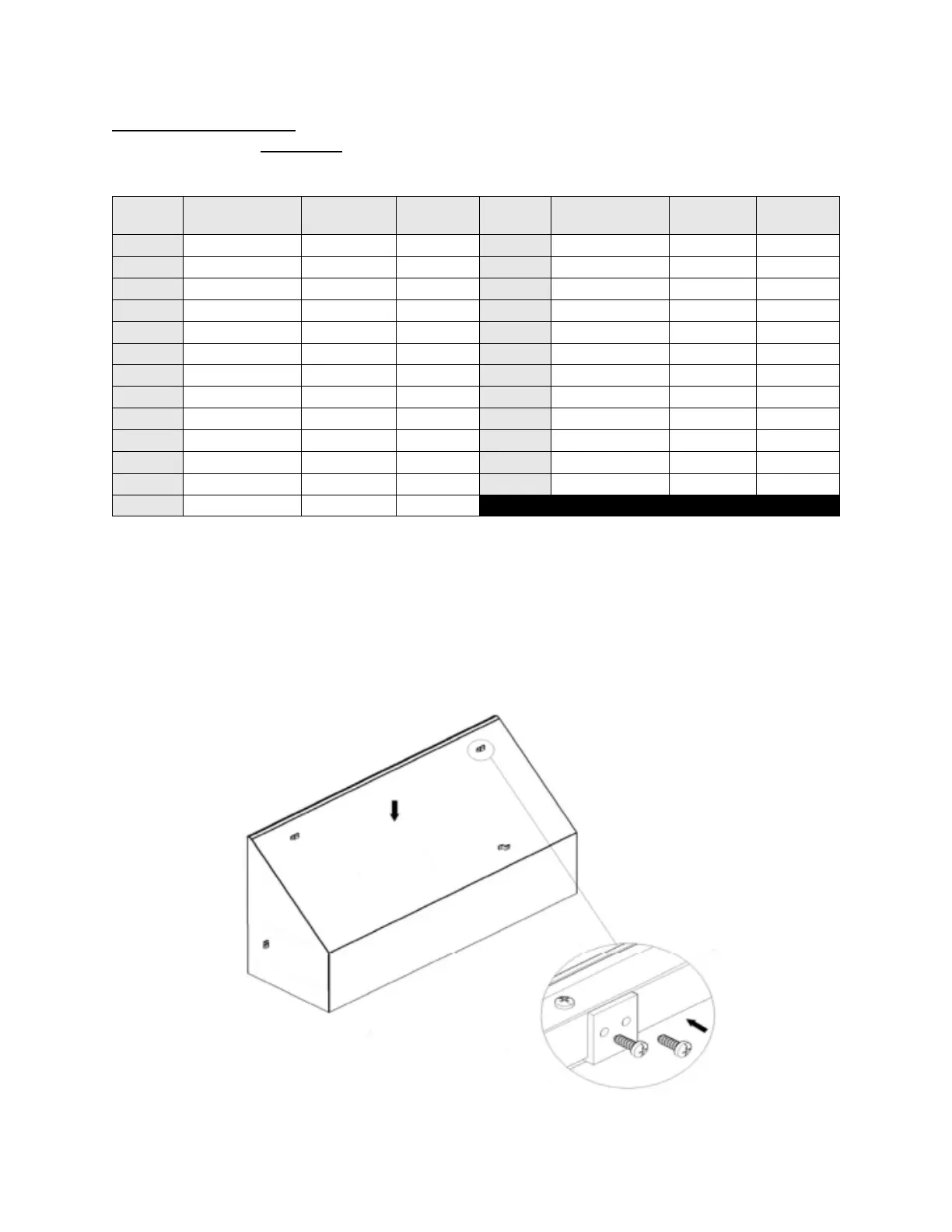
Step 9) Using the marks on the wall, install two (2) Z-brackets into desired mounting location to hold Top
Bar (TB).
Step 10) Drop Top Bar (TB) into mounted Z-brackets and check the fit. Once position is satisfactory, use
Power Drill to attach Top Bar (TB) to Z-brackets with self-tapping screws. After Top Bar (TB) is secured to
the mounting surface, install one (1) Z-bracket on the inside of each Back Bar (BB) with self-tapping
screws. NOTE: There are no pre-drilled holes for Z-brackets, they may be placed anywhere along the
surface of the Top Bar (TB) and Back Bars (BB) to accommodate your mounting surface’s stud location.


 To Next Page