18 CONTROL, MANAGEMENT, AND MONITORING SOFTWARE
This section explains how to install and configure the coordinating control, management, and monitoring software
assigned to the Wolf device. The products and applications currently available for both the Wolf Master and the Wolf are
listed below. For installation of the applications and compatibility with various operating systems (O.S.) and
configurations, please see the Appendices at the end of this manual:
- Axel Wolf Target Address Manager
- Axel Wolf Network Remoter
- Axel Wolf Manager.
18.1 OVERVIEW OF AXEL WOLF ADDRESS MANAGER
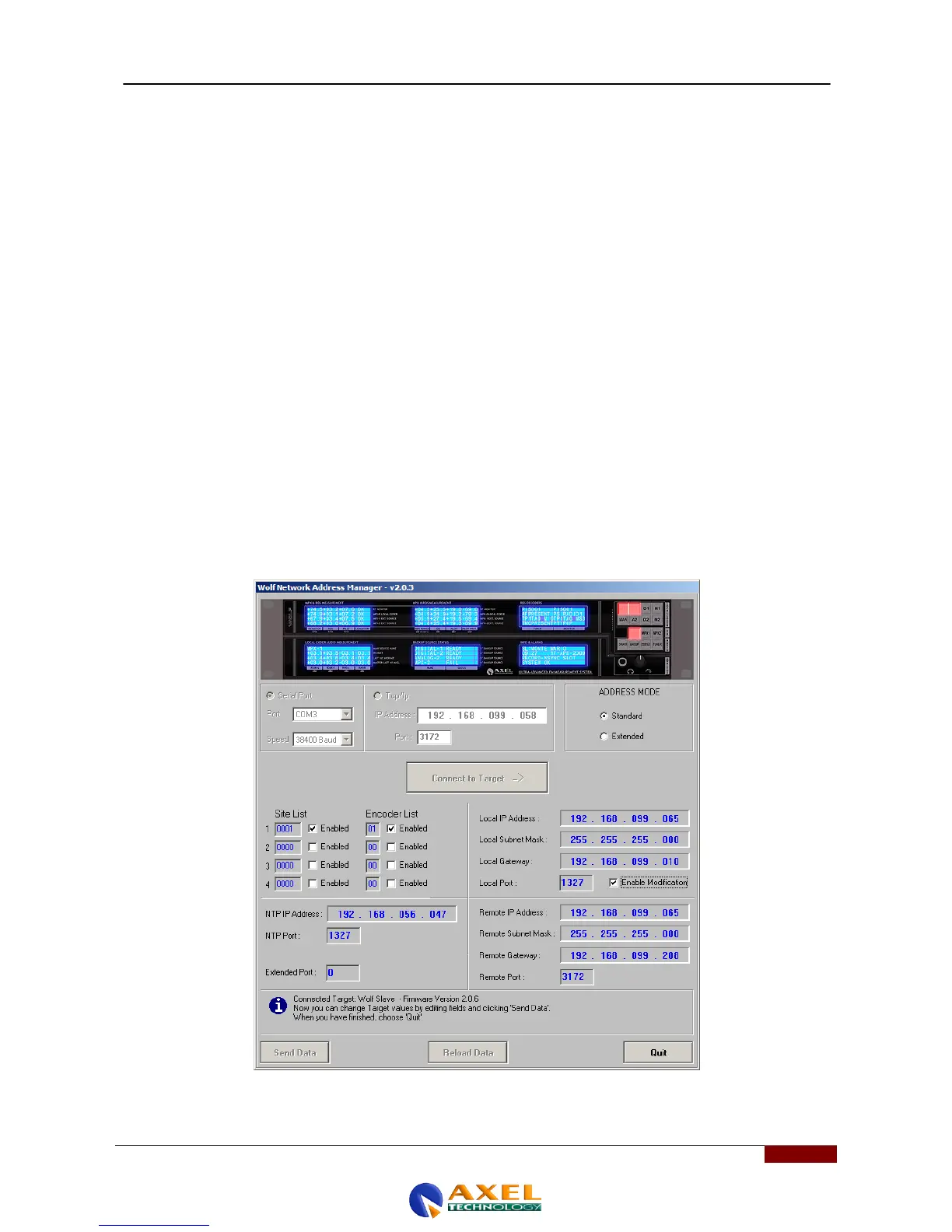
The coordinating Axel Wolf Address Manager application is assigned to the Wolf device and, after its installation, it is
used to set the Wolf device start parameters. An RS-232 (COM) port is used for first and subsequent connections. The
parameters that can be set using this application are outlined below:
- The communication port between the Workstation and the Wolf Network device
- The UECP operating mode, which can vary between UECP (Standard) or UECP Extended
- The Site List and the Encoder List in the event of use in UECP Standard or the ID List and the Group List in
the event of UECP Extended
- The Local IP Address, the Local Subnet Mask, the Local Gateway and the Local Port for the Local Connection
via TCP/IP
- The Remote IP Address, the Remote Subnet Mask, the Remote Gateway, and the Remote Port for the Remote
Connection via TCP/IP
- The "NTP IP" address to configure the Network Time Protocol and its Port (NTP Port)
- Extended Port configuration



 To Next Page