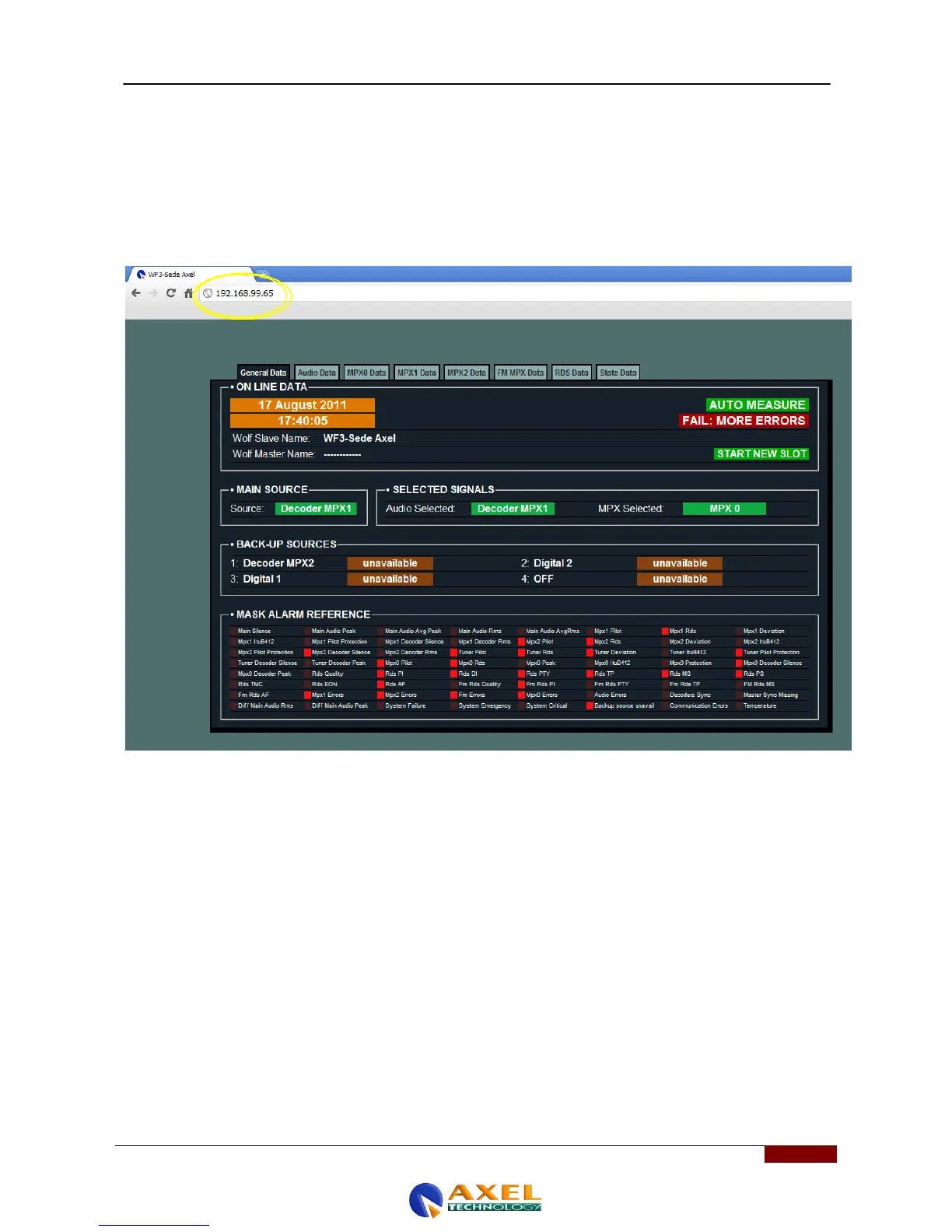
27 WOLF WEB PAGE (WEBSERVER)
Within the Wolf Network there is a web server which allows the user to display the Wolf Network measurements and
status via an html page viewable in any web browser. To access the Wolf Network web server, simply key the IP
address of the Wolf Network you want to monitor into the navigation bar of Web browser. If the Wolf is located in a
private LAN, simply enter the address in the navigation bar. If the device you want to monitor is remote and connection
via the Internet (WAN) is a possibility, then you will need to enter both the public address and the port assigned to the
device and managed by the router. The syntax is generally PUBLIC IP: PORT. Once the target device is reached, a
password may be requested; if not, you will be able to view the device‟s measurements and status.



 To Next Page