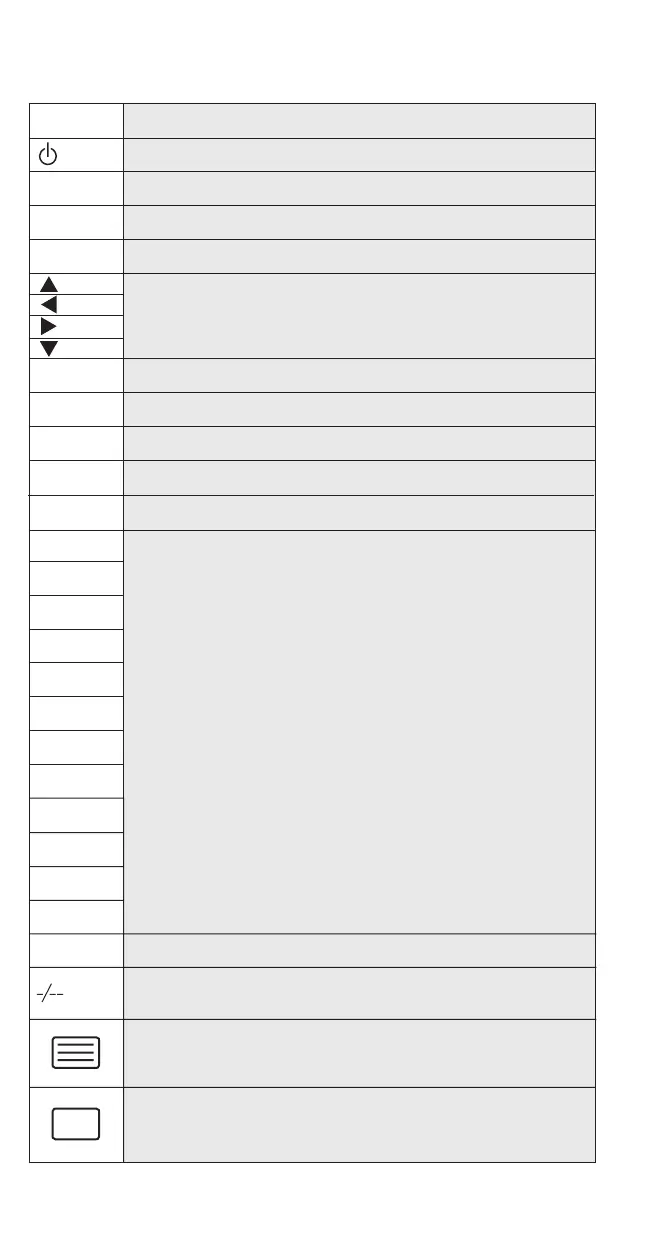
Key chart:
Channel UP
Turn on/off device
Volume UP
Channel Down
Volume Down
If available, these keys will allow you to navigate through the menu, on some
device, you may have to press CH+/-, VOL+/- or the color key (R,G,Y,B) to navigate
through the menu, depending on your model of device.
For confi rming the choice
Menu; operates the same function as your original remote control.
Mute
Go to the previous menu screen in SAT/CBL.
Exit from your device guide/menu, operates the same function as original remote control.
Works as your original remote control, used for entering the code during set up.
CH+
VOL+
CH-
VOL-
OK
MENU
MUTE
BACK
EXIT
1
2
3
4
5
6
7
8
9
0
AV
TV/VIDEO, for accessing the surround mode of some audio device.
one/two digit input switching, in DVD, CD or AUX mode, you may obtain the
+/10 function.
In TV mode, once in text mode, pressing this key may switch to MIX or TURN
OFF text, depending on your TV, this function is also available in SAT/CBL mode.
Working as Turn+ for some audio device.
In TV mode, switches the TV back to regular view mode, which also can be
done by TEXT ON key several times on some TV. This function is also available
in SAT/CBL mode. Working as Turn - for some audio device.



 To Next Page