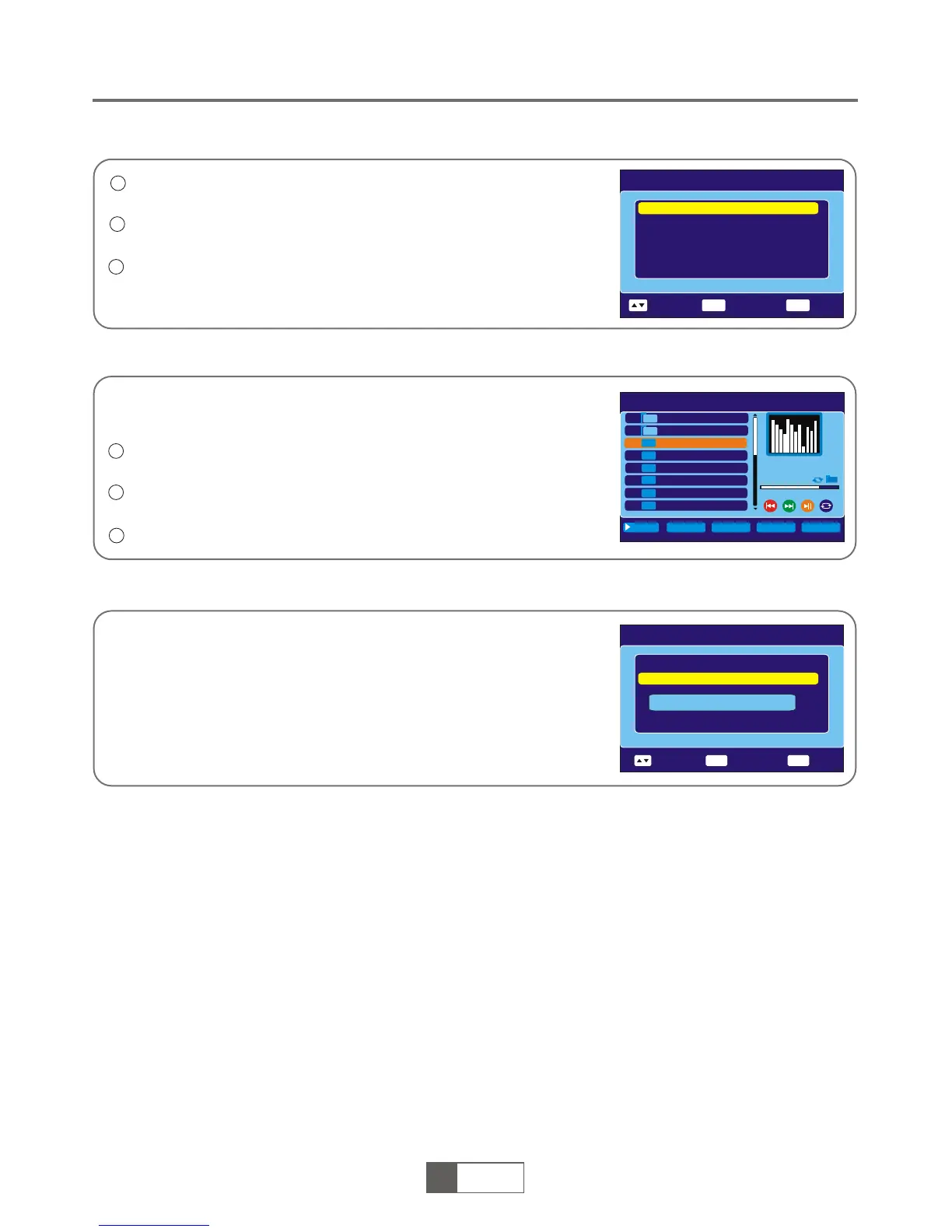
Media+ main menu
Press "MENU" button to enter main menu. Select "Media+ ",
press "OK" button to enter Media+ menu.
Press "UP" or "DOWN" cursor button to highlight desired menu
and press "OK" button to enter.
Press "EXIT" button to exit.
1
2
3
3
Media Player
In "Media +" menu, select "Media Player ",press "OK" button to enter
Media Player menu.
1
2
Media+
Press "EXIT" button to exit.
Safely Remove Storage Device
Press "UP" or "DOWN" cursor button to select a desired item, and
press "OK" button to play the desired files.
This function allows you to play audio (MP3), video (MPEG-2) or photo
files (JPEG) from 1.1 USB port.
In " Media+ " menu, select "Safely Remove Storage Device",
press " OK" button to confirm. Then a window is displayed.
Media Player: USB/Partition1
002 ALiDvr
003 I swear.mp3
I swear. m p 3
I swear.mp3
00:03:15 00:04:1 0
001 Autorun. inf
004 Wh y.mp3
005 Lo nely.mp3
006 Be cause of you.mp3
007 Ro se.jpg
008 Fl y.jpg
JPG
JPG
MP3
MP3
MP3
MP3
ImgList
Music List
Image List
Setup
Sort
Media+
Media Player
Safely Remove Storage Device
OK
EXIT
Select
Enter
Exit
Media+
Media Player
Safely Remove Storage Device
Unmount Successfully!
OK
EXIT
Select
Enter
Exit
1
1
English
1
11
English


 To Next Page