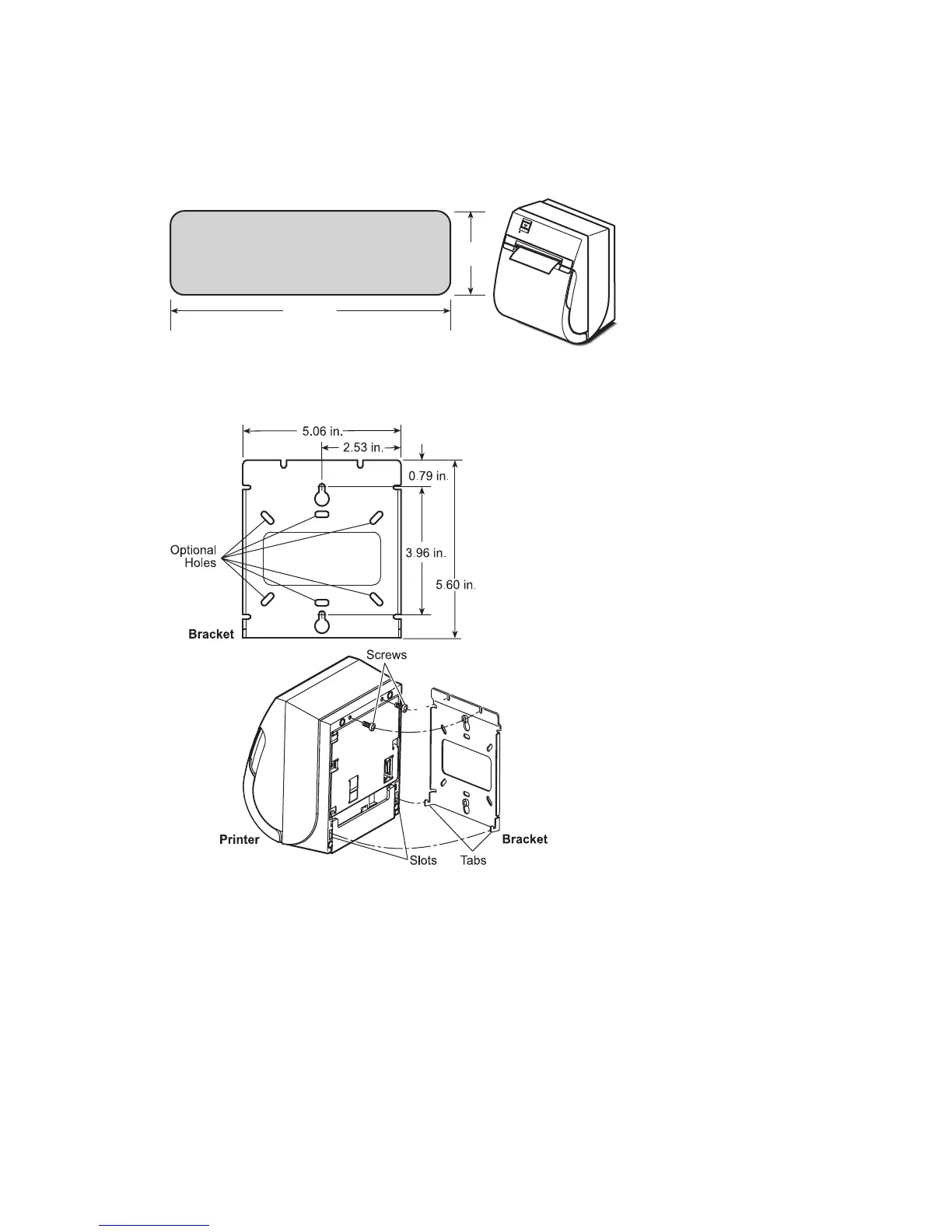
To mount the printer vertically:
To mount the printer on a wall (optional kit):
1. Place the printer as shown in the illustration.
2. Place it over an access hole for the cables. (See illustration above.)
1. Mount the bracket on the wall.
2. Screw two screws into the base of the printer (leave clearance for
the bracket).
3. Hang the printer onto the bracket.
To mount the power supply on the wall (optional kit):
1. Mount the bracket on the wall.
2. Set the power supply on the bracket and secure it with the tie-wraps.
5.00 in.
1.50 in.
Cable Access Hole
OPEN
2
Choosing a Location
You can set up the printer three ways: set it flat on any level surface, mount
it vertically on any level surface, or mount it on a wall. Either way, be sure
to leave room to open the cover and access the cables.


 To Next Page