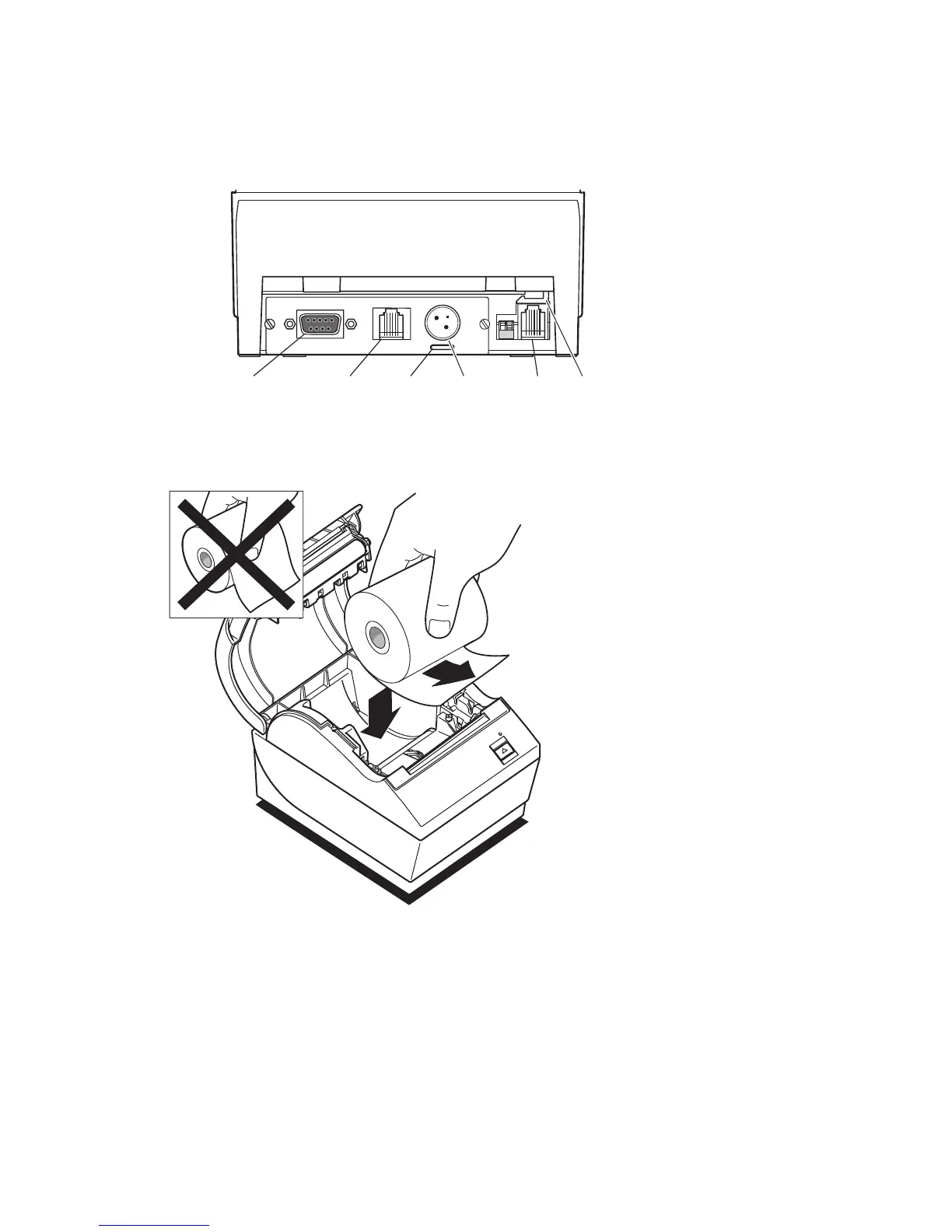
Loading Paper
3
Connecting the Cables
Caution: Connect the cables to the printer before plugging in the
power supply. If power is received from the host computer,
turn it off before connecting any cables.
4
1. Tear off the end of the roll so that the edge is loose.
2. Place the roll into the paper bucket with a few inches of paper
extending over the cabinet front (or top, if printer is mounted
vertically).
Warning: Be sure the paper unrolls from the bottom of the roll.
Otherwise, the paper will jam.
Back of
Printer
Communication
Connector
Pass Through
Connector
(Optional)
Power
Connector
Cash
Drawer
Connector
Strain
Relief
Strain
Relief


 To Next Page