Testing the Printer
Run this test to check the printer. The test prints a list of various
printer settings. The test printout may vary depending on the printer
model. To change the default settings, enter the configuration menu.
The printout may be useful to a service representative if there is a problem.
If something appears to be wrong with the test printout (such as missing
or faded text), additional troubleshooting and diagnostic guides are
available by calling 1-800-732-8950.
5
To Test the Printer:
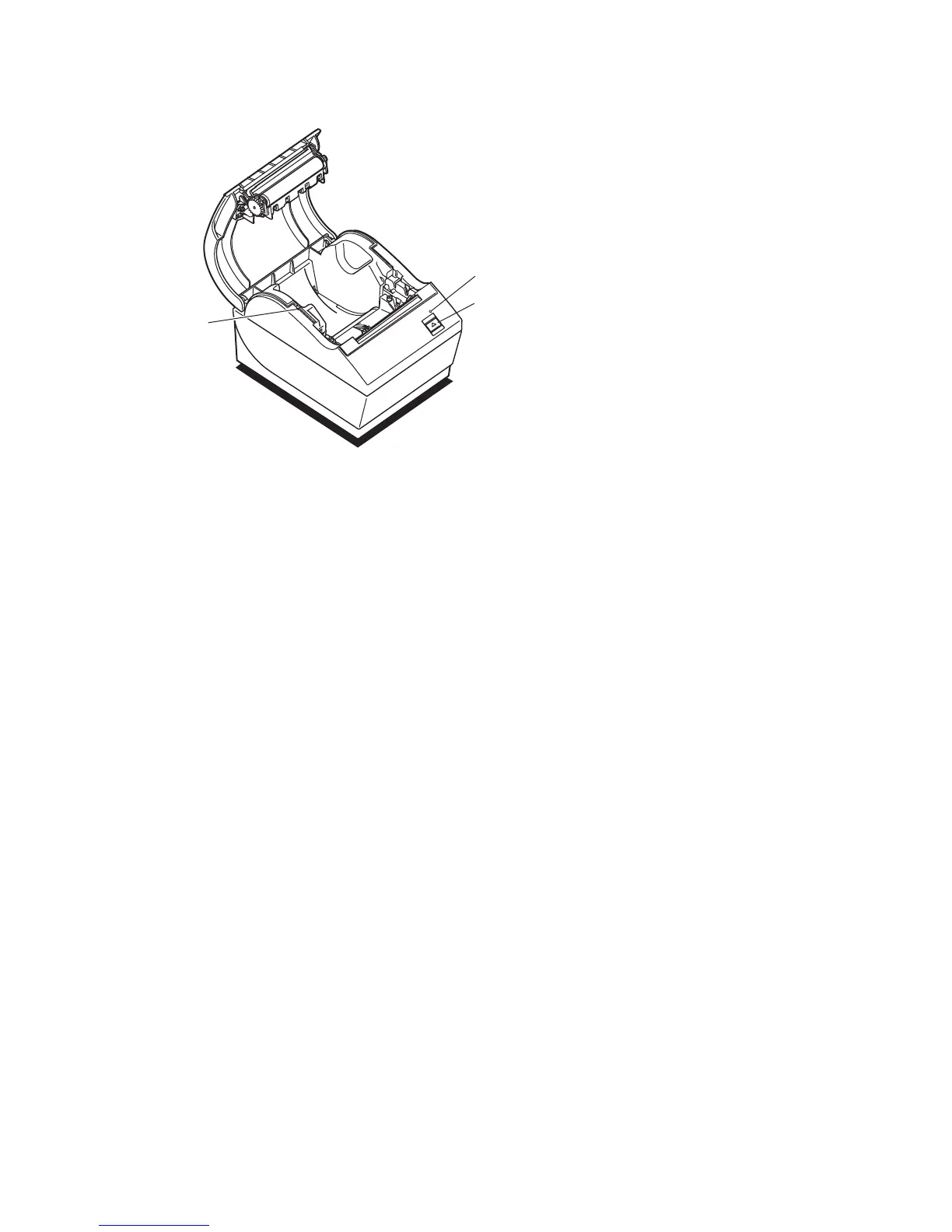
1. Press and hold the Paper Feed Button and Reset Button at the
same time, then quickly close the cover.
The printer begins printing the data and character sets. This
can be given to a service representative if it appears there is
a problem.
2. To stop the test, press the Paper Feed button.
6
Printer Controls
Paper Feed
Button
LED (Green)
Reset
Button


 To Next Page