A794 Owner’s Guide Chapter 2: Using the Printer
December 1999 11
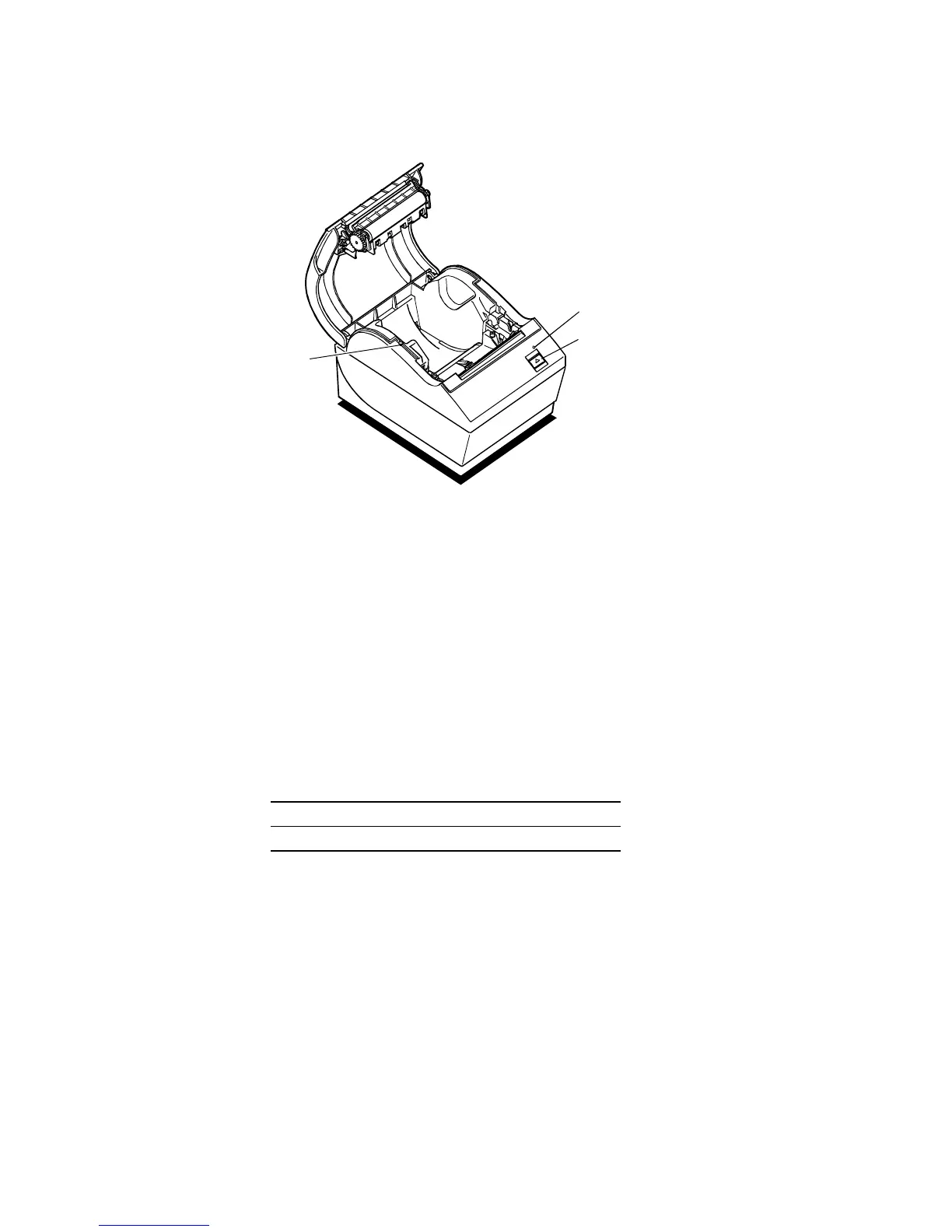
Printer Controls
Paper Feed
Button
LED (Green)
Reset
Button
Reset Button
Should a paper jam or fault condition occur, press the Reset Button to reset the printer.
The printer performs a startup routine, as if having been turned off, then on again.
Paper Feed Button
Press the Paper Feed Button to advance the paper.
Used in conjunction with the Reset Button to print the Diagnostic Mode or allow access
to the Configuration Menu. (See page 16.)
LED
The green LED shows the printer status by shining or flashing. A continuous green
(non-flashing) LED represents an “ON”, no-fault condition.
Status LED
Paper Is Low Flashes Slowly
Paper Is Out Flashes Quickly
Knife Jam Flashes Quickly then Slowly


 To Next Page