Chapter 6: Programming Information A794 Owner’s Guide
December 199984
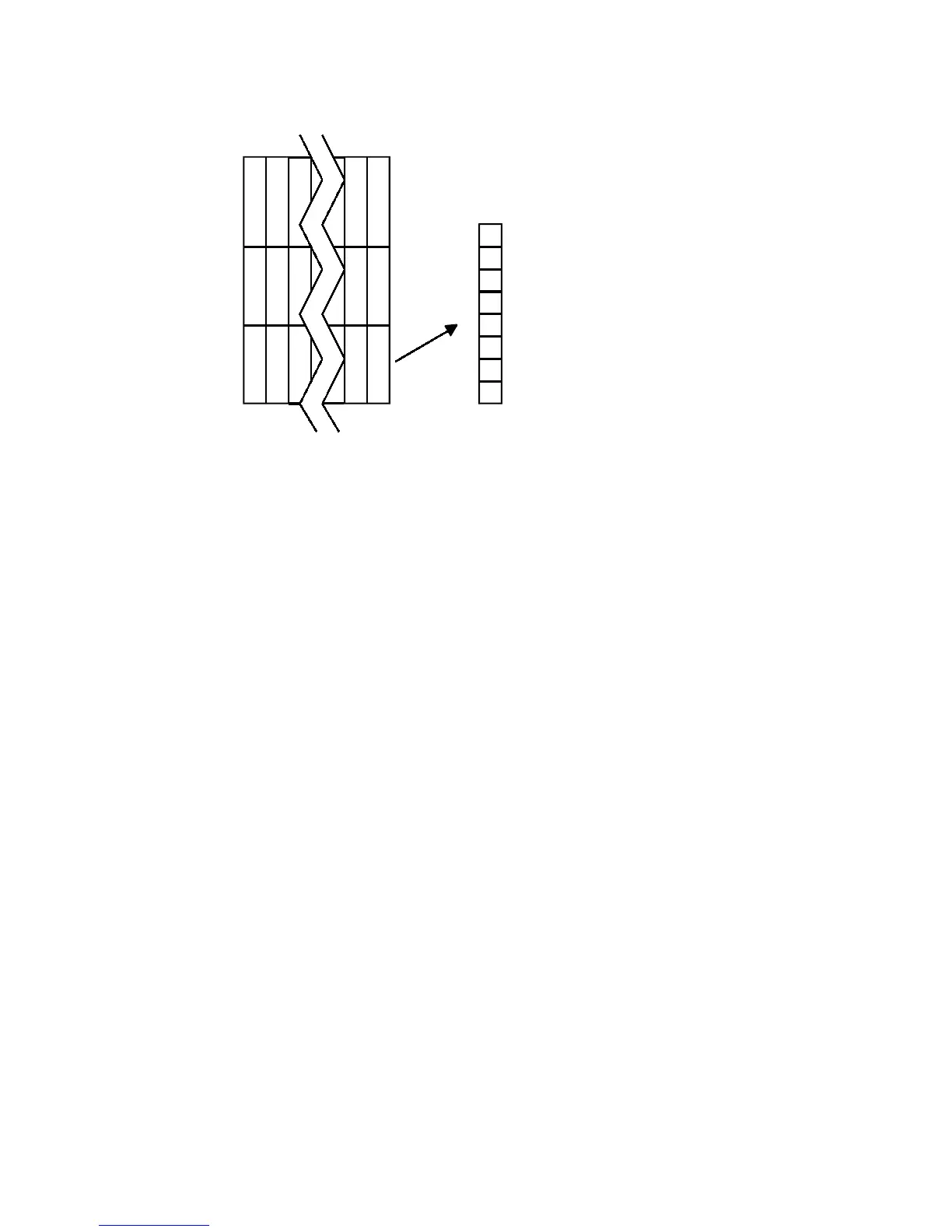
Top of Character
dn
MSB
LSB
d1
d2
d3
d4
d5
dn
Defines and enters downloaded characters into RAM. The command may be used to
overwrite single characters. User-defined characters are available until power is turned
off or the Initialize Printer command (1B 40) is received.
Any invalid byte (s, c1, c2, n1) aborts the command.
Related Information
See 1D 22 n (Select Memory Type) to save User-Defined Characters
Select or Cancel Underline Mode
ASCII ESC - n
Hexadecimal 1B 2D n
Decimal 27 45 n
Value of n: 0, 48 = Cancel underline mode
1, 49 = Select underline mode
2, 50 = Select double thickness underline mode
Default: 0 (Cancel underline mode)
Turns underline mode on or off. Underlines cannot be printed for spaces set by the
Horizontal Tab, Set Absolute Start Position, or Set Relative Print Position commands.
This command and the Select Print Mode(s) command (1B 21) turn underline on and off
in the same way.
Exceptions
This command is ignored if n is out of the specified range.
Related Information
In A793 Emulation, this command is unrecognized and the parameter n is put into the
print buffer.


 To Next Page