AXISP13NetworkCameraSeries
Additionalsettings
2.Adjustthesizeandplacementoftherectangleinthecamera’sliveviewaroundtheareaofinterest,forexample
wherethelicenseplatesofpassingcarsareexpectedtoappear.Youcanthenseethenumberofpixelsrepresentedby
thesidesoftherectangle.
Note
Youcanuseanobjectofaknownsizeintheviewasareferencetodecidehowmuchresolutionisneededforrecognition.
Inaddition,youcantrytoadjustthefollowingtooptimizelicenseplaterecognition:
•Shutterspeed
•Gain
•Zoom
Viewarea
Aviewareaisacroppedpartofthefullview.Youcanstreamandstoreviewareasinsteadofthefullviewtominimizebandwidth
andstorageneeds.IfyouenablePTZforaviewarea,youcanpan,tiltandzoomwithinit.Byusingviewareasyoucanremoveparts
ofthefullview,forexample,thesky.
Whenyousetupaviewarea,werecommendyoutosetthevideostreamresolutiontothesamesizeasorsmallerthantheviewarea
size.Ifyousetthevideostreamresolutionlargerthantheviewareasizeitimpliesdigitallyscaledupvideoaftersensorcapture,
whichrequiresmorebandwidthwithoutaddingimageinformation.
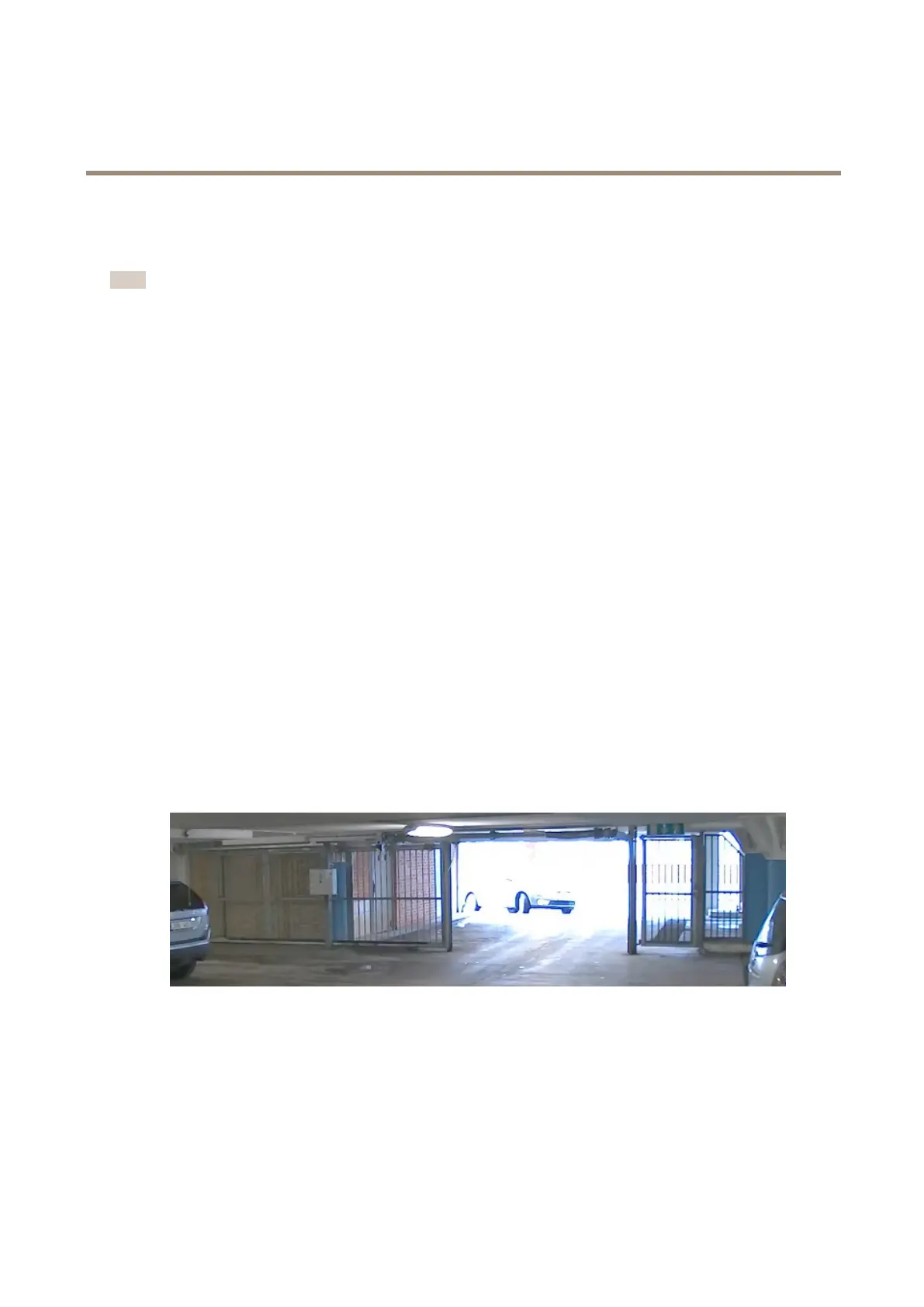
Handlesceneswithstrongbacklight
Dynamicrangeisthedifferenceinlightlevelsinanimage.Insomecasesthedifferencebetweenthedarkestandthebrightest
areascanbesignicant.Theresultisoftenanimagewhereeitherthedarkorthebrightareasarevisible.Widedynamicrange
(WDR)makesbothdarkandbrightareasoftheimagevisible.
1.GotoSettings>Image>Widedynamicrange.
2.Ifrequired,turnonWDR.
3.UsetheContrastslidertoadjusttheamountofWDR.
ImagewithoutWDR.
10



 To Next Page