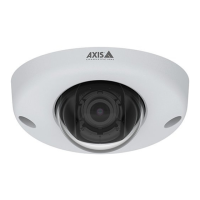
AXISQ6315-LEPTZCamera
Additionalsettings
Createaguardtourwithpresetpositions
Aguardtourdisplaysthevideostreamfromdifferentpresetpositionseitherinapredeterminedorrandomorder,andforcongurable
periodsoftime.
1.GotoSettings>PTZ>Guardtours.
2.Click+.
3.Toedittheguardtour’sproperties,click
.
4.Typeanamefortheguardtourandspecifythepauselengthinminutesbetweeneachtour.
5.Ifyouwanttheguardtourtogotothepresetpositionsinarandomorder,turnonShufe.
6.ClickDone.
7.ClickAddtoaddthepresetpositionsthatyouwantinyourguardtour.
8.ClickDonetoexittheguardtoursettings.
9.Toscheduletheguardtour,gotoSystem>Events.
Towatchthisvideo,gotothewebversionofthisdocument.
www.axis.com/products/online-manual/57873#t101 1 1 157
Viewandrecordvideo
Thissectionincludesinstructionsabouthowtocongureyourdevice.Tolearnmoreabouthowstreamingandstorageworks,goto
Streamingandstorageonpage20.
Reducebandwidthandstorage
Important
Ifyoureducethebandwidthitcanresultinlossofdetailsinthepicture.
1.GotoliveviewandselectH.264.
2.GotoSettings>Stream.
3.Dooneormoreofthefollowing:
Note
ThezipstreamsettingsareusedforbothH.264andH.265.
-TurnondynamicGOPandsetahighGOPlengthvalue.
-Increasethecompression.
-TurnondynamicFPS.
13



 To Next Page