AXIS2911UVideoServerRack
2
Recessedscrews(M3x8)
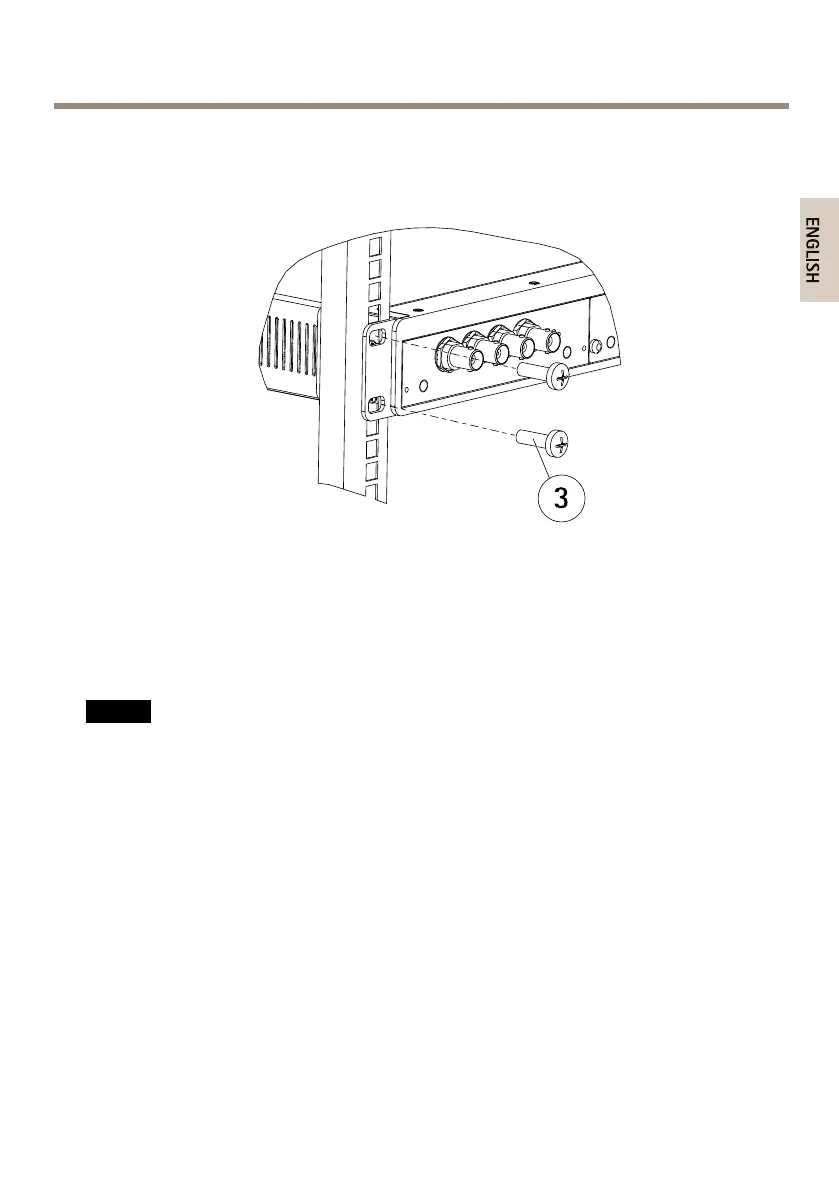
4.SlidetheAXISVideoServerRackintotheequipmentrackandattachthescrews.
3
Screws(M6x20)
InstallBladeVideoServers
TheAXISVideoServerRackcanaccommodatethreeAxisbladevideoservers.Theslotsforthese
arenumbered1-3fromlefttoright,asseenfromthefront.TheI/Oconnectorsforeachsloton
therearpanelarealsonumbered.
NO NO
NO
TICE TICE
TICE
LeavinganemptyslotontheAXISVideoServerRackopenisnotpermitted.Frontpanel
coversmustbeusedonallemptyslots.
1.Removeafrontpanelcoverfromtheslotinwhichthevideoserverwillbemounted.This
isdonebylooseningthescrewoneachsideofthecover.
2.Usetheguidesasanaidtoslidethevideoserverintoplace.Thedipswitchforsetting
thelineterminationshouldbevisibleonthetopedge.
3.Usethescrewsfromthefrontpanelcovertoattachthevideoserver.
15



 To Next Page