AXIS2911UVideoServerRack
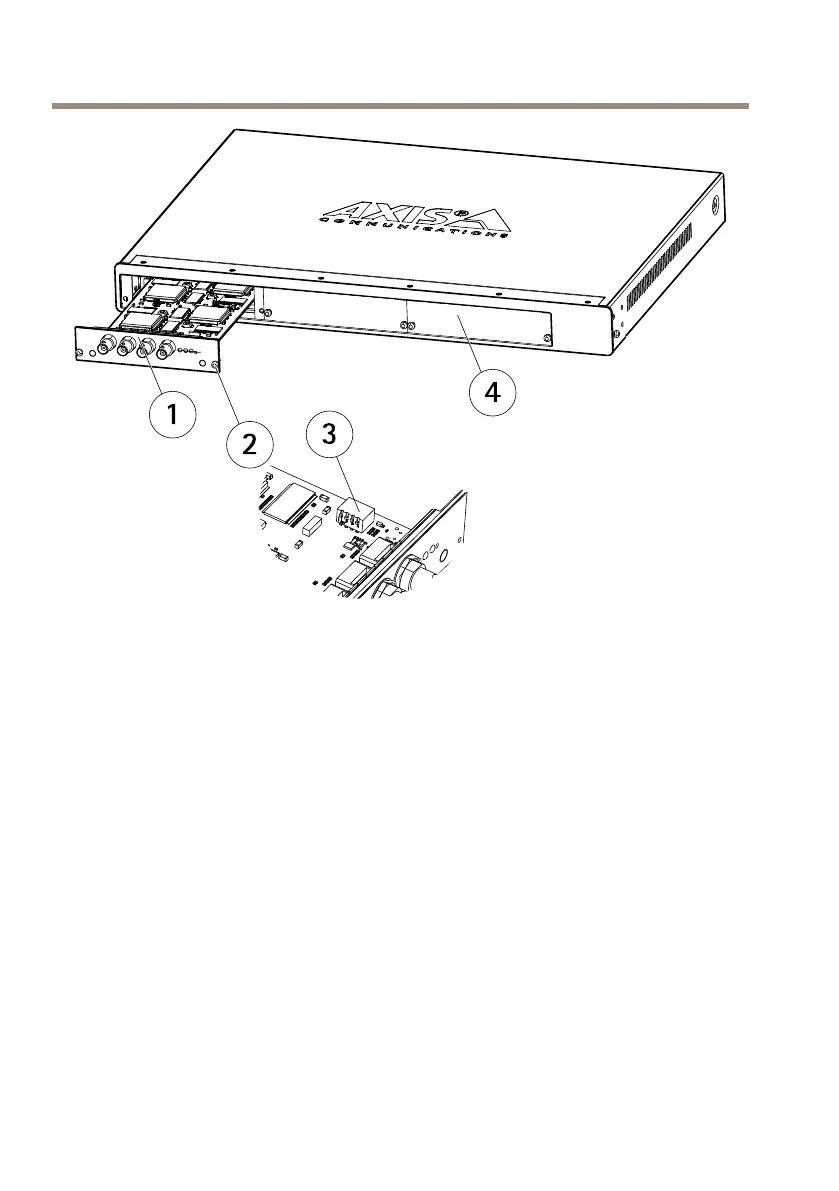
1
Bladevideoserver
2
Screw
3
Dipswitch
4
Frontpanelcover
ConnectI/OTerminalConnector
Forcompatiblereplacementconnectors,contacthttp://www.phoenixcontact.com,quoting:MC1.5/
12-ST-3.81(artno1803675).
Toconnectinput/outputdevicestotheI/Oterminalconnector,dothefollowing:
Dependingonwhichbladeisusedintheinstallation,seepage10orpage11.
1.Referringtothetablesabove,loosenthecorrespondingscrewontopofthepinon
thegreenconnectorblock.
2.Pushthecableintotheconnectorblockandsecureitbyfasteningthescrew.
3.Oncealldevicesareconnected,pushtheconnectorblockintotheterminalconnector
ontherearpanelofthevideoserverrack.
16



 To Next Page