7
(B) CD/MP3/WMA PLAYER MODE
When pressed for less than 1 second, they will operate as TRACK UP or TRACK DOWN mode.
When pressed longer than 1 second, they will operate as CUE or REVIEW mode.
12. AUTOMATICALLY STORE STATIONS (A/PS)
Select six strong stations and store them in current band.
1. Select a band (if needed)
2. Hold A/PS button for more than three seconds. The new stations replace those already stored in
that band.
Preset Scan
To scan stations stored in current band.
1. Select a band (if needed)
2. Press A/PS for more than one second but less than three. The radio pauses for ve seconds at each
station. Press A/PS again to stop scanning when desired station is found.
13. ‘SCAN’ AUTOMATIC TUNING CONTROL (SCN)
This operation is similar to normal search. It holds the station for only 5 seconds before moving to
the next station. To store the desired station into memory, hold a preset button for longer than one
second.
14. MUTE BUTTON (MU)
Press this button to disable audio output. Press again to restore volume.
15. LCD DISPLAY
The Liquid Crystal Display will show the current settings of the unit.
16. OPEN THE FRONT PANEL
Press button and the front panel will open.
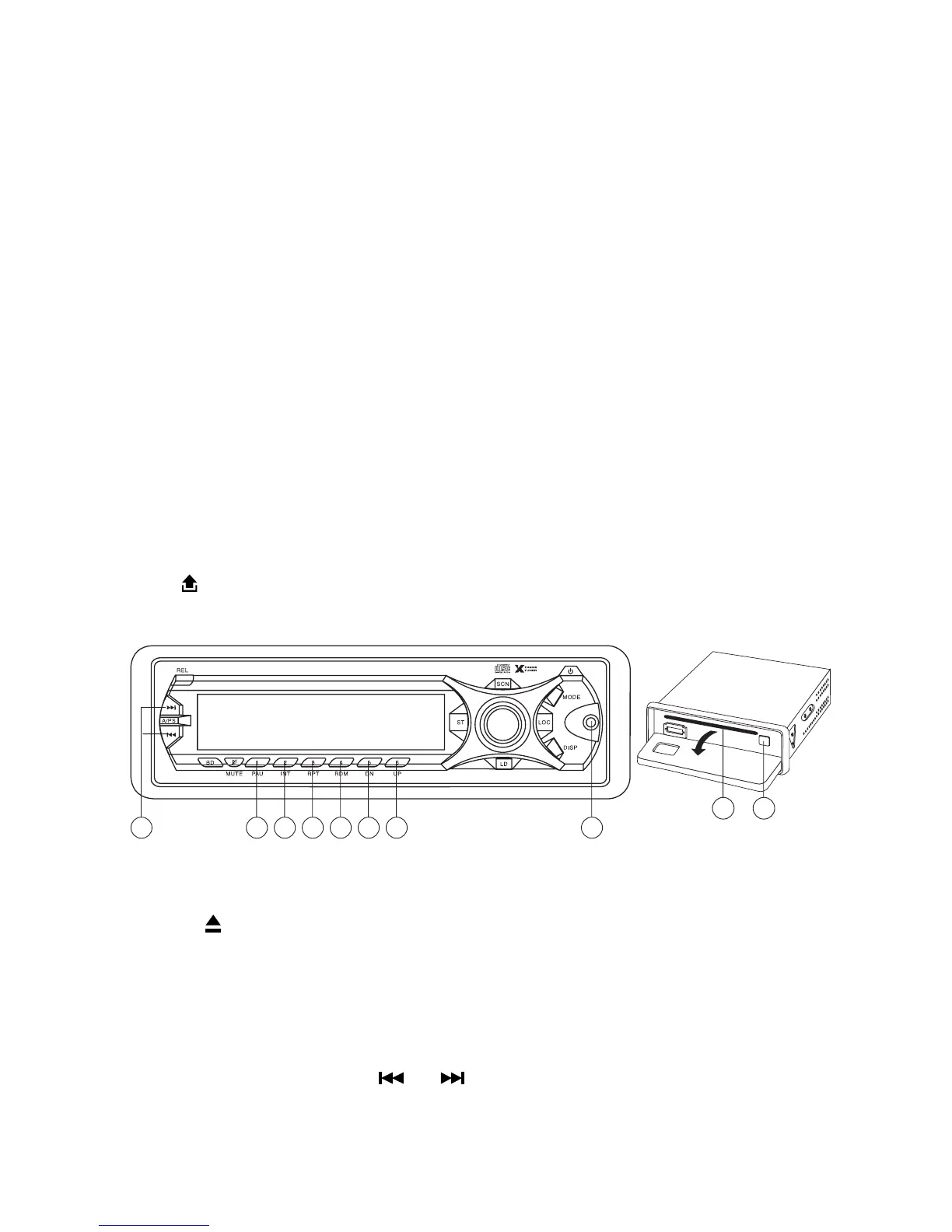
CD/MP3/WMA CONTROL LOCATION OF PARTS
17. CD SLOT
18. CD EJECT BUTTON
Press the button to remove the CD. The receiver will automatically switch to radio mode.
19. PAUSE BUTTON
During “PLAY”, press (19) ‘PAU’ button to “PAUSE”. Press gain to resume play.
TRACK/SEARCH BUTTON (11)
FORWARD AND REVERSE TRACK SEARCH (or changing songs)
Press and release to advance to next track or to return to the beginning of the current track (track number
will be displayed.) Press and hold to or . Play will begin at the point where you release the
button.



 To Next Page