21
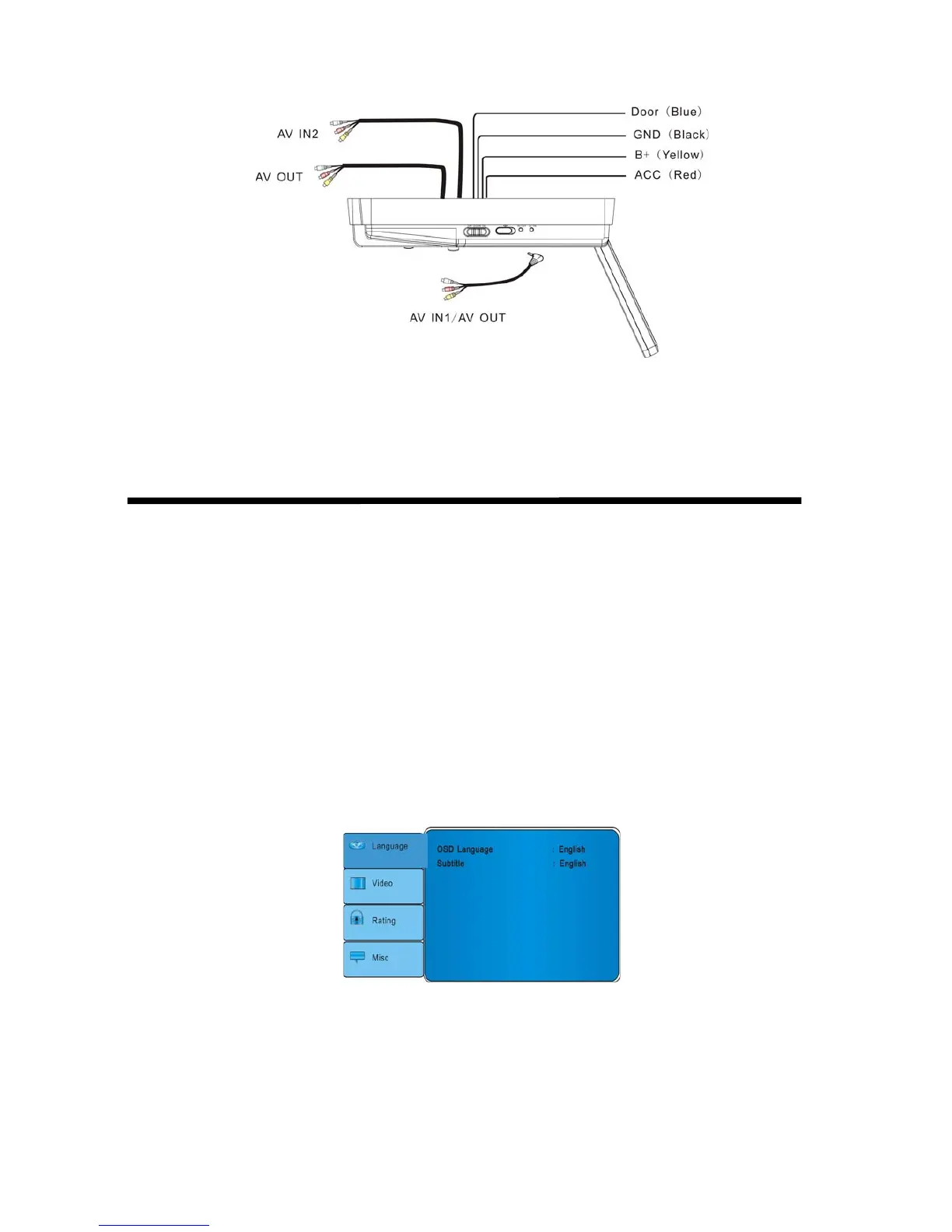
Wiring diagram
Note:
Do not use both of the 2 AV OUT simultaneously, to prevent the picture being spoilt by
interference.
Setting preferences
Accessing the on screen display menus
1. Press SETUP on the remote to access the OSD menus.
2. Press up arrow and down arrow on the remote to select among menu items: Language,
Video, Rating, Misc.
3. Press left arrow and right arrow button on remote to alternate set items.
4. Press up arrow and down arrow button to select the option you wish to change.
5. Press ENTER to confirm your selection.
6. Press SETUP to exit the OSD menus.
Language
This item controls DVD display language
Language
OSD Language Selects the language for the on-screen display menus.
English, FranÇais, EspaĖol, Deutsch, Italiano, Ё᭛
Subtitle Select the language for the subtitles.
English, FranÇais, EspaĖol, Deutsch, Italiano Chinese, Auto, Off.



 To Next Page