7
REMOTE CONTROL
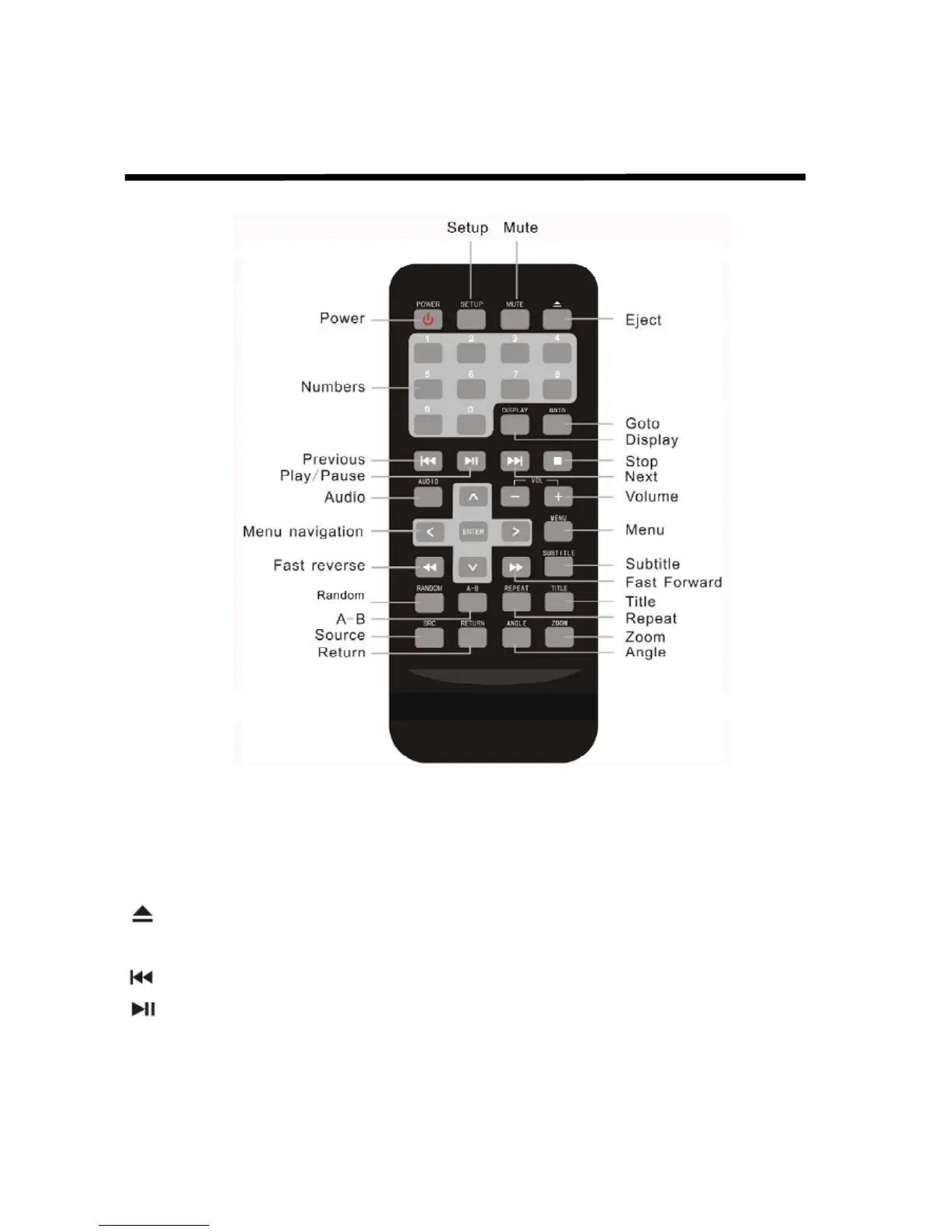
Quick reference to remote control
Power Turn the player on or off
Setup Accesses the setup menu used to modify player options.
Mute Disables and enables sound.
Eject Ejects the current disc in the slot.
Numbers Used to directly enter track numbers and to configure some options.
Previous Jumps to previous chapter on a DVD or previous track on a CD.
Play or Pause Starts and stops playback of a DVD or CD.
Audio For a DVD: Change the language during playback. For a VCD/CD: Change
audio channel(left, right, mix , stereo) during playback.
Menu navigation Selects options on DVD menu and values on Display menu.



 To Next Page