6
Monitor Open
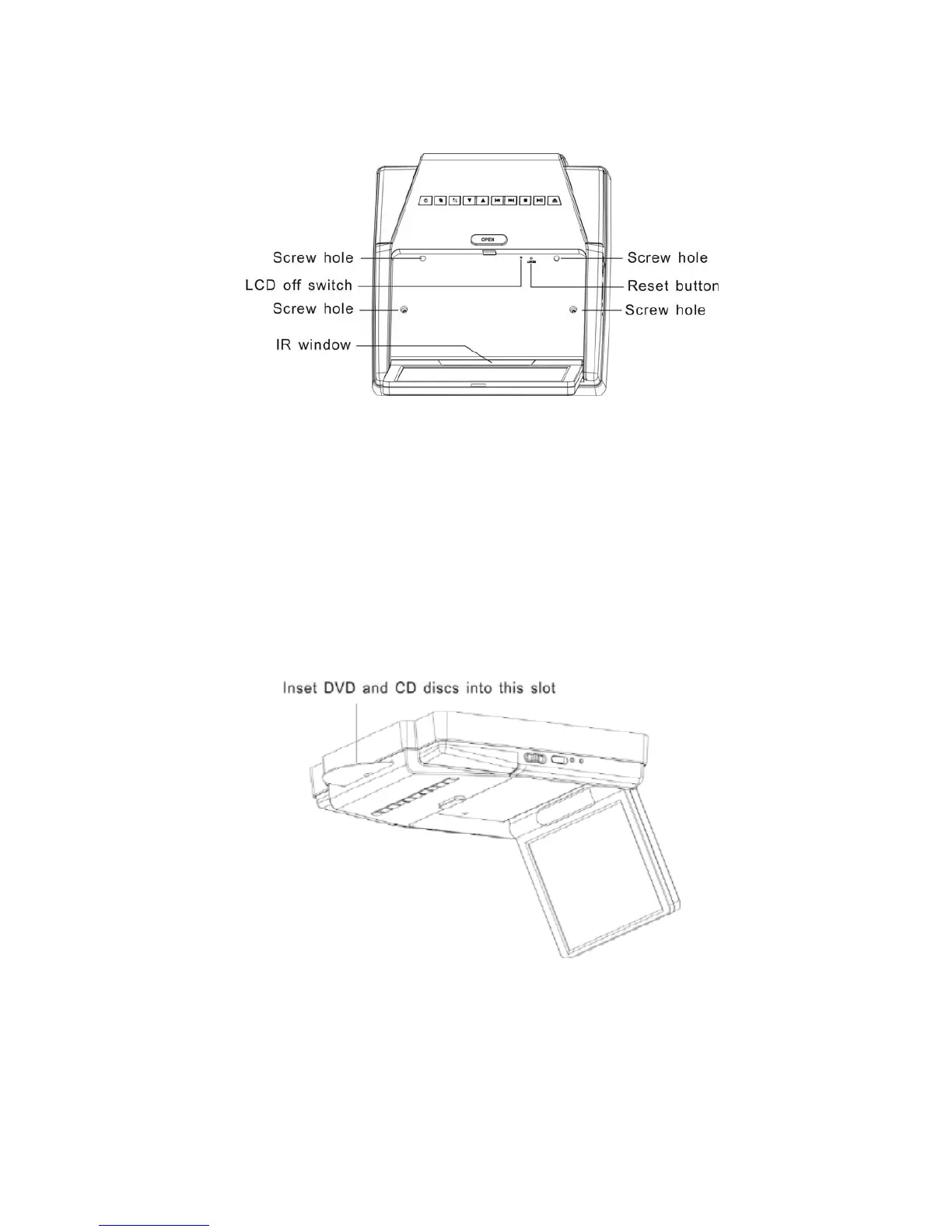
Looking at the player with the LCD panel open
Quick reference to controls with monitor open
LCD off switch Turn off the LCD screen.
Reset button When unit doesn't work during playback ,press with a pencil or other
narrow-tipped tool to restart the unit.
Screw hole Used to attach the player to the mounting plate.
IR window Receives infrared (IR) signals from the remote control and sends IR
signals to the headphones.
DVD drive slot



 To Next Page