5
OPERATING INSTRUCTIONS
1. POWER ON/OFF
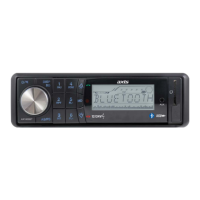
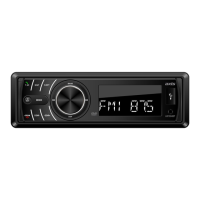
Press POWER ON button to power the unit. Press and hold to turn off.
MUTE
Press button briefly to MUTE. To return to sound, press again.
2. SELECT
3. VOLUME UP/DOWN
Turing the VOL knob to right or left (3) to control the VOLUME. To select other functions, hold the
VOL knob down until the desired functions is shown on the display. Figure 1 shows how control func-
tions are selected using the VOL knob.
1 2 3 4 5
SEL SEL SEL SEL SEL
Fig. 1 Selection of sound control functions
1. VOLUME 2. BASS 3. TREBLE 4. BALANCE 5. FADER
These buttons can be used to adjust the BASS, TREBLE, BALANCE and FADER.
Press and hold VOL knob to adjust below function:
SEL
EQ
SEL
AVOL
SEL
STEREO
SEL
LOUD
SEL
LOC
SEL
ADJUST
CLOCK
EQ MODE
Turn VOL knob to select one of the settings EQ OFF/FLAT/CLASS/ROCK/POP.
VOL
Turn the VOL knob to set the standard start-up volume level.
STEREO/MONO
When FM signal is weak or distorted, reception may improve by turning VOL knob to MONO.
LOUDNESS
Turn the VOL knob to Loudness ON or OFF function.
LOCAL
“Local” position in areas with strong signal will cause the radio to stop at strong stations. During
manual tuning (LOC appears). Select Distant position in areas with weak signal. Turn the “VOL” knob
to set.
ADJUST CLOCK
Turn VOL knob anti-clockwise for hours. Turn VOL knob clockwise to set minutes.
4. PRESET STATIONS (1,2,3,4,5,6)
(A) RADIO MODE:
Six numbered preset buttons store and recall stations for each band.
Storing a station:
1. Select a band (if needed)
2. Select a station
3.
Hold a preset button longer than one second. Preset numbers appear in the display when station is saved.


 To Next Page
 Loading...