7/17
9
7. Basic Operation
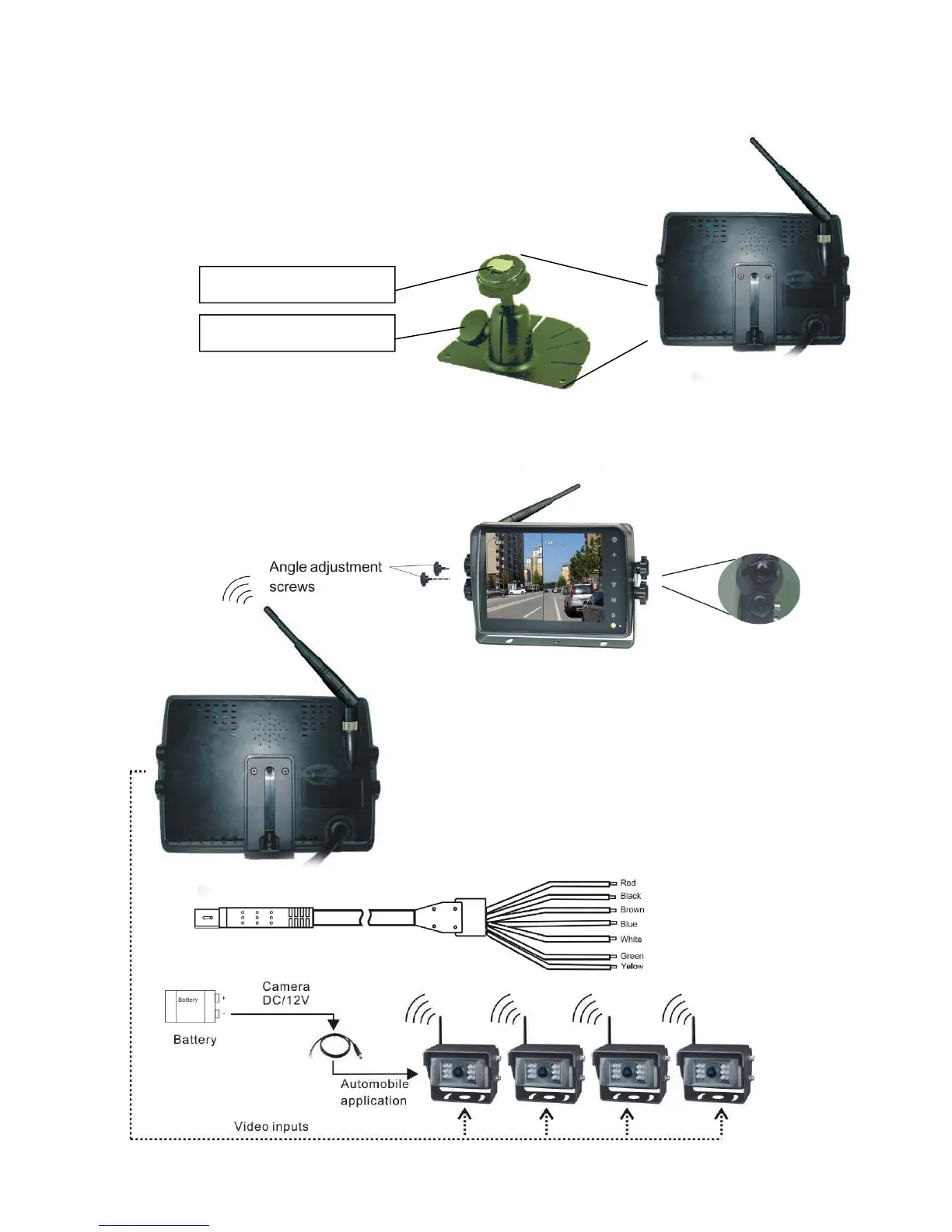
7.1 Installation of Centre Mounting Bracket:
ķ Adjust monitor level by sliding the support to the
desired height.
ĸ Adjust the angle of the monitor and tighten the
knob on the center mounting bracket.
7.2. Installation of U-support Bracket
Red wire to positive power supply of DC/10-32V.
Black wire to Ground.
Brown wire to positive power wire of reversing light.
White wire to positive power wire of left light.
Blue wire to positive power wire of right light.
Green or yellow wire to other positive power wire.
Support aƩaching piece
Knob


 To Next Page