AXISM1065-LNetworkCamera
Additionalsettings
Additionalsettings
Adjusttheimage
Tondoutmoreaboutwhatyoucandowiththeimage,seeLearnmoreonpage12.
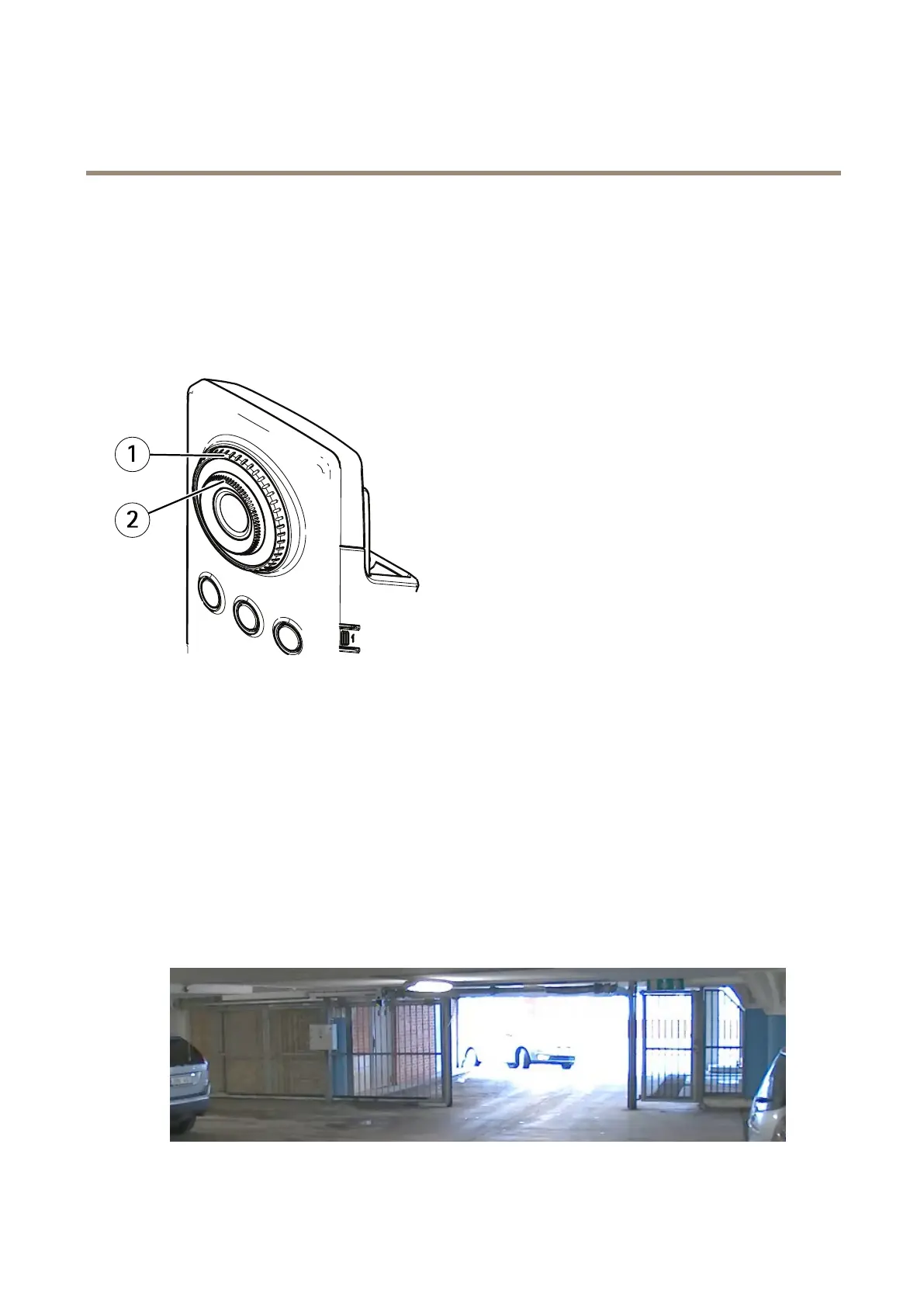
Howtochangethecamerafocus
1
Focuslockring
2
Focusring
1.Turnthefocuslockringcounterclockwisetounlockthefocusring.
2.Turnthefocusringtoadjustthefocus.
3.Turnthefocuslockringclockwisetolockthepositionofthefocusring.
Handlesceneswithstrongbacklight
Dynamicrangeisthedifferenceinlightlevelsinanimage.Insomecasesthedifferencebetweenthedarkestandthebrightest
areascanbesignicant.Theresultisoftenanimagewhereeitherthedarkorthebrightareasarevisible.Widedynamicrange
(WDR)makesbothdarkandbrightareasoftheimagevisible.
1.GotoSettings>Image>Widedynamicrange.
2.Ifrequired,turnonWDR.
ImagewithoutWDR.
8



 To Next Page