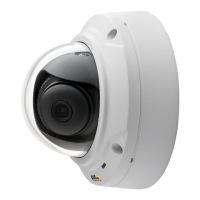
AXISM3025–VENetworkCamera
AccessingtheProduct
PTZControls
TheLiveViewpagealsodisplaysPan/Tilt/Zoom(PTZ)controls.Theadministratorcanenable/disablecontrolsforspeciedusersunder
SystemOptions>Security>Users.
Note
ThesecontrolsareavailableifdigitalPTZisenabledintheselectedviewarea,seeViewArea,onpage19.
ClicktheEmulatejoystickmodebuttonandclickintheimagetomovethecameraviewinthedirectionofthe
mousepointer.
ClicktheCentermodebuttonandclickintheimagetocenterthecameraviewonthatposition.Thecentermode
buttoncouldalsobeusedtozoominonaspecicarea.Clickintheimageanddragtodrawarectanglesurrounding
theareatobemagnied.Tozoomout,rotatethemousewheel.
ClicktheCtrlpanelbuttontoopenthePTZcontrolpanelwhichprovidesadditionalPTZcontrols.
User-denedbuttonscanalsoappearintheControlpanel.SeeControls,onpage24.
SelectaPTZpresetpositiontosteerthecameraviewtothesavedposition.SeePresetPositions,
onpage24.
ThePTZcontrolscanbedisabledunderPTZ>Advanced>Controls,seeControls,onpage24.
11


 To Next Page