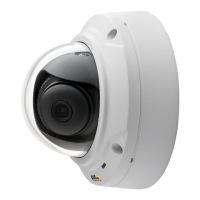
AXISM3025–VENetworkCamera
SettingUptheProduct
•IntheLiveViewpage–selectthestreamprolefromtheStreamproledrop-downlist.
Forquicksetup,useoneofthepredenedstreamproles.Eachpredenedprolehasadescriptivename,indicatingitspurpose.If
required,thepredenedstreamprolescanbemodiedandnewcustomizedstreamprolescanbecreated.
Tocreateanewproleormodifyanexistingprole,gotoSetup>Video>StreamProles.
ToselectadefaultstreamprolefortheLiveViewpage,gotoSetup>LiveViewCong.
CameraSettings
TheVideo>CameraSettingspageprovidesaccesstoadvancedimagesettingsfortheAxisproduct.
ImageAppearance
IncreasingtheColorlevelincreasesthecolorsaturation.Thevalue100givesmaximumcolorsaturation.Thevalue0givesa
blackandwhiteimage.
TheimageBrightnesscanbeadjustedintherange0–100,whereahighervalueproducesabrighterimage.
IncreasingtheSharpnesscanincreasebandwidthusage.Asharperimagemightincreaseimagenoiseespeciallyinlowlight
conditions.Alowersettingreducesimagenoise,butthewholeimagewillappearlesssharp.
TheContrastchangestherelativedifferencebetweenlightanddark.Itcanbeadjustedusingtheslidebar.
WhiteBalance
Whitebalanceisusedtomakecolorsintheimageappearthesameregardlessofthecolortemperatureofthelightsource.TheAxis
productcanbesettoautomaticallyidentifythelightsourceandcompensateforitscolor.Alternatively,selectthetypeoflight
sourcefromthedrop-downlist.Foradescriptionofeachavailablesetting,seetheonlinehelp
.
WideDynamicRange
Widedynamicrange(DynamicContrast)canimprovetheexposurewhenthereisaconsiderablecontrastbetweenlightanddark
areasintheimage.EnableWDRinintensebacklightconditions.DisableWDRinlowlightconditionsforoptimalexposure.
Note
Thissettingisonlypossiblewhenusingautomaticexposurecontrol.
ExposureSettings
Conguretheexposuresettingstosuittheimagequalityrequirementsinrelationtolighting,framerateandbandwidth
considerations.
Exposurevalue-Clickinthebartone-tunetheexposure.
EnableBacklightcompensation-Enablethisoptionifabrightspotoflight,forexamplealightbulb,causesotherareasin
theimagetoappeartoodark.
Exposurepriority-WhenMotionisprioritized,motionblurintheimageisminimized.Thiscanbeusefulforrecognitionofmoving
objectssuchaspeopleandvehicles.However,prioritizingmotionmaycauseanincreaseinimagenoise,especiallyinlowlight
situations.WhenLownoiseisprioritized,imagenoiseisminimized.Thelesizeisreduced,whichcanbeusefulifstoragespaceor
bandwidthislimited.However,prioritizinglownoisemayresultinaverydarkimage,especiallyinlowlightsituations.
Day/Night
TheIRcutlterpreventsinfrared(IR)lightfromreachingtheimagesensor.Inpoorlightingconditions,forexampleatnight,orwhen
usinganexternalIRlamp,settheIRcutltertoOff.Thisincreaseslightsensitivityandallowstheproductto“see”infraredlight.The
imageisshowninblackandwhitewhentheIRcutlterisoff.
18


 To Next Page