AXISM43PanoramicCameraSeries
Learnmore
Learnmore
Viewarea
Aviewareaisacroppedpartofthefullview.Youcanstreamandstoreviewareasinsteadofthefullviewtominimizebandwidth
andstorageneeds.IfyouenablePTZforaviewarea,youcanpan,tiltandzoomwithinit.Byusingviewareasyoucanremoveparts
ofthefullview,forexample,thesky.
Capturemodes
Whatcapturemodetochoosedependsontherequirementsfortheframerateandresolutionofthespecicsurveillancesetup.For
specicationsaboutavailablecapturemodes,seetheproduct’sdatasheetataxis.com.
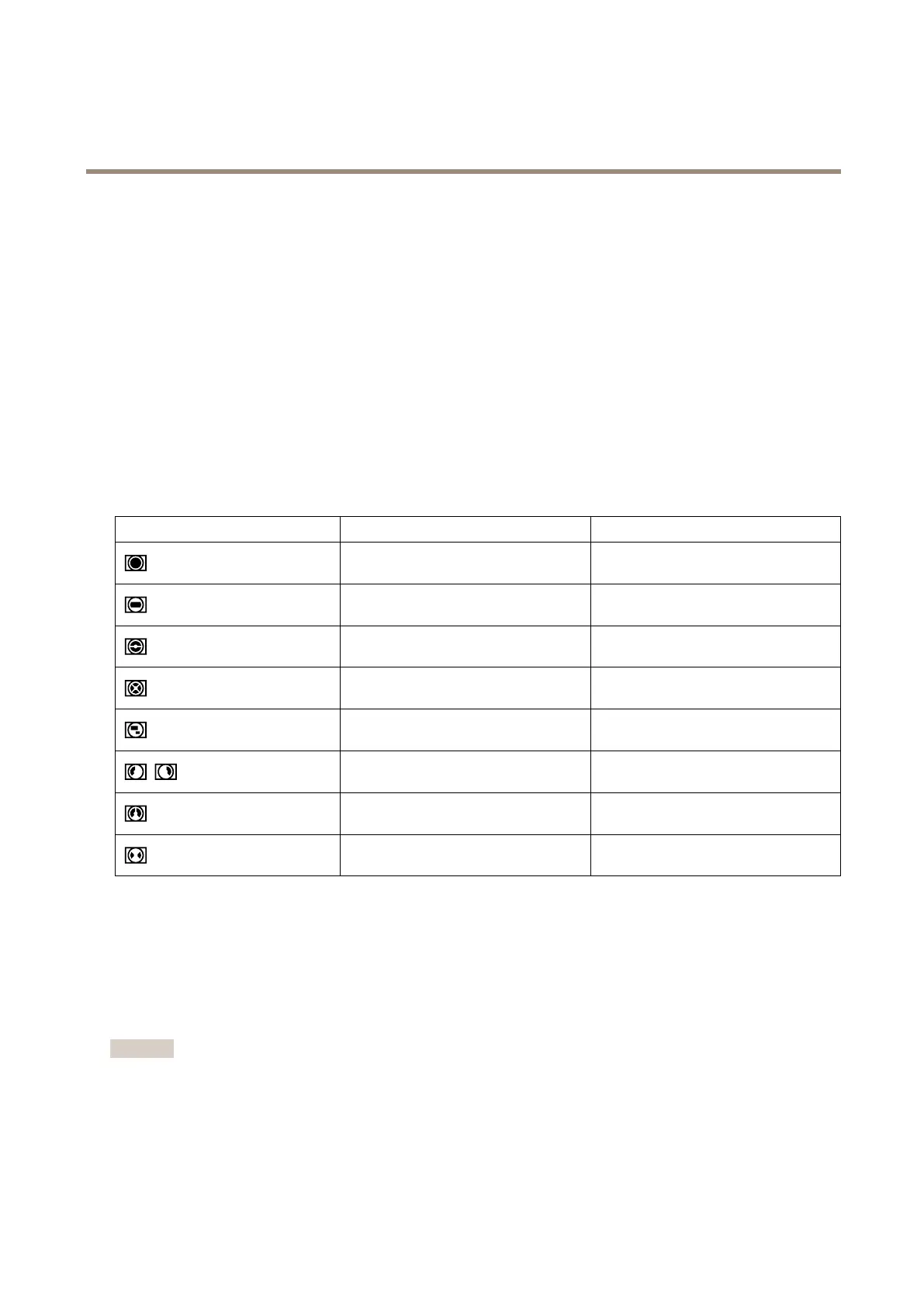
Capturemodeviews
Toselectcapturemodeviewsforthedevice,gotoVideo>Stream.
View
ResolutionsforAXISM4327-PResolutionsforAXISM4328-P
Overview
2160x2160to160x1602992x2992to160x160
Panorama
2560x1440to192x723840x2160to192x72
DoublePanorama
2560x1920to256x1923584x2688to384x288
QuadView
2560x1920to256x1923584x2688to384x288
ViewArea1-4
1920x1440to256x1442048x1536to256x144
CornerLeft/Right
2368x1184to192x723200x1600to192x72
DoubleCorner
2016x2016to256x1922880x2880to384x288
Corridor
2560x1920to256x1442560x1920to256x144
Privacymasks
Aprivacymaskisauser-denedareathatcoversapartofthemonitoredarea.Inthevideostream,privacymasksappeareitheras
blocksofsolidcolororwithamosaicpattern.
You’llseetheprivacymaskonallsnapshots,recordedvideo,andlivestreams.
YoucanusetheVAPIX®applicationprogramminginterface(API)tohidetheprivacymasks.
Important
Ifyouusemultipleprivacymasksitmayaffecttheproduct’sperformance.
Youcancreateseveralprivacymasks.Themaximumnumberofmasksdependsonthecomplexityofallthemaskscombined.The
moreanchorpointsineachmask,thefewermasksyoucancreate.Eachmaskcanhave3to10anchorpoints.
44



 To Next Page