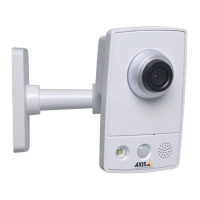
AXISM4308-PLEPanoramicCamera
Configureyourdevice
4.Createanewrule.
5.SelecttheConditionthatmustbemettotriggerthecameratostartrecording.Itcan,forexample,beatimescheduleor
motiondetection.
6.Inthelistofactions,selectRecordvideo.Selectastoragespace.Selectastreamproleorcreateanew.Alsosetthe
PrebufferandPostbufferasrequired.
7.Savetherule.
8.CreateasecondruleandselectthesameConditionasintherstrule.
9.Inthelistofactions,selectToggleI/Owhiletheruleisactive,andthenselecttheporttheAXISI/OIndicationLEDis
connectedto.SetthestatetoActive.
10.Savetherule.
OtherscenarioswhereAXISI/OIndicationLEDcanbeusedareforexample:
•ConguretheLEDtoturnonwhenthecamerastarts,toindicatethepresenceofthecamera.SelectSystemreadyas
acondition.
•ConguretheLEDtoturnonwhenlivestreamisactivetoindicatethatapersonoraprogramisaccessingastreamfrom
thecamera.SelectLivestreamaccessedasacondition.
CongureI/Oports
Youneedtoconnecttheswitchrelaytothecamerafromthecamera’swebpage.First,conguretheI/Oports:
SetthePIRdetectortoaninputport
1.GotoSystem>Accessories>I/Oports.
2.SetthedirectiontoInputforport1.
3.Givetheinputmoduleadescriptivename,forexample“PIRdetector”.
4.TotriggeraneventwheneverthePIRdetectorsensesmotion,setthenormalstatetoCircuitopen.
Settheswitchrelaytoanoutputport
1.SetthedirectiontoOutputforport2.
2.Givetheoutputmoduleadescriptivename,forexample“Gateswitch”.
3.Toopenthegatewheneveraneventistriggered,setthenormalstatetoCircuitclosed.
Createrules
ForthecameratoopenthegatewhenthePIRdetectorsensessomeonenearby,youneedtocreatearuleinthecamera:
1.GotoSystem>Eventsandaddarule.
2.Typeanamefortherule,forexample“Opengate”.
3.Inthelistofconditions,selectPIRdetector.
4.Inthelistofactions,selectToggleI/Oonce.
5.Inthelistofports,selectGateswitch.
6.SetstatetoActive.
7.Settheduration.
14



 To Next Page