16
AXIS 221 - Setup Tools
Setup Tools
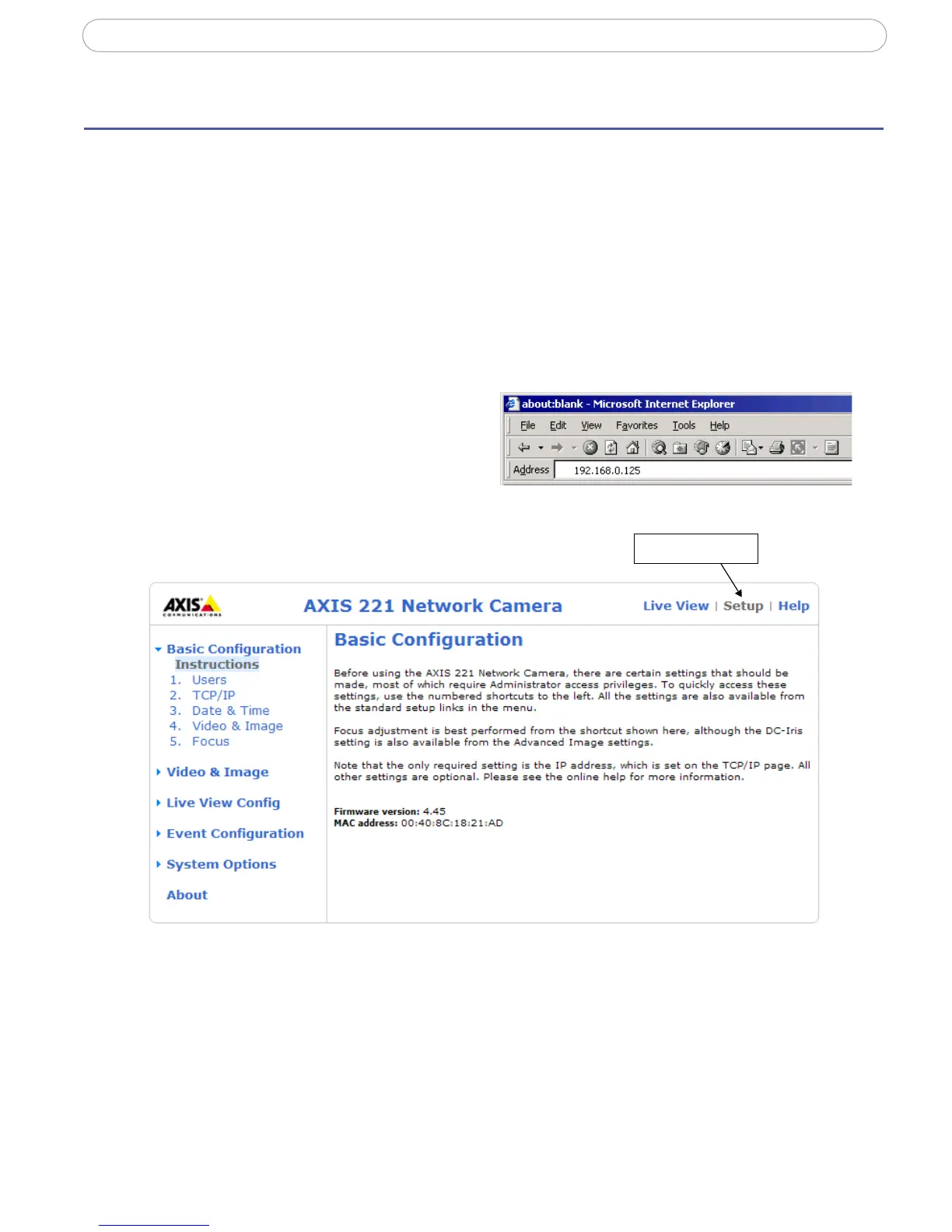
The AXIS 221 is configured from the setup tools, which are available from the link in the
web interface. The setup tools can be used by:
• Administrators, who have unrestricted access to all the Setup tools
• Operators, who have access to the Video & Image, Live View Config and Event Config-
uration settings.
Accessing the setup tools from a browser
Follow the instructions below to access the Setup Tools from a browser.
1. Start your browser and enter the IP
address or host name of the camera
in the location/address field.
2. The Live View page is now
displayed. Click Setup to display the Setup tools.


 To Next Page