Configuration guide Mechanical PTZ configuration on the AXIS P135X cameras
Rev: 1.1, Last updated: 02/04/2013 3
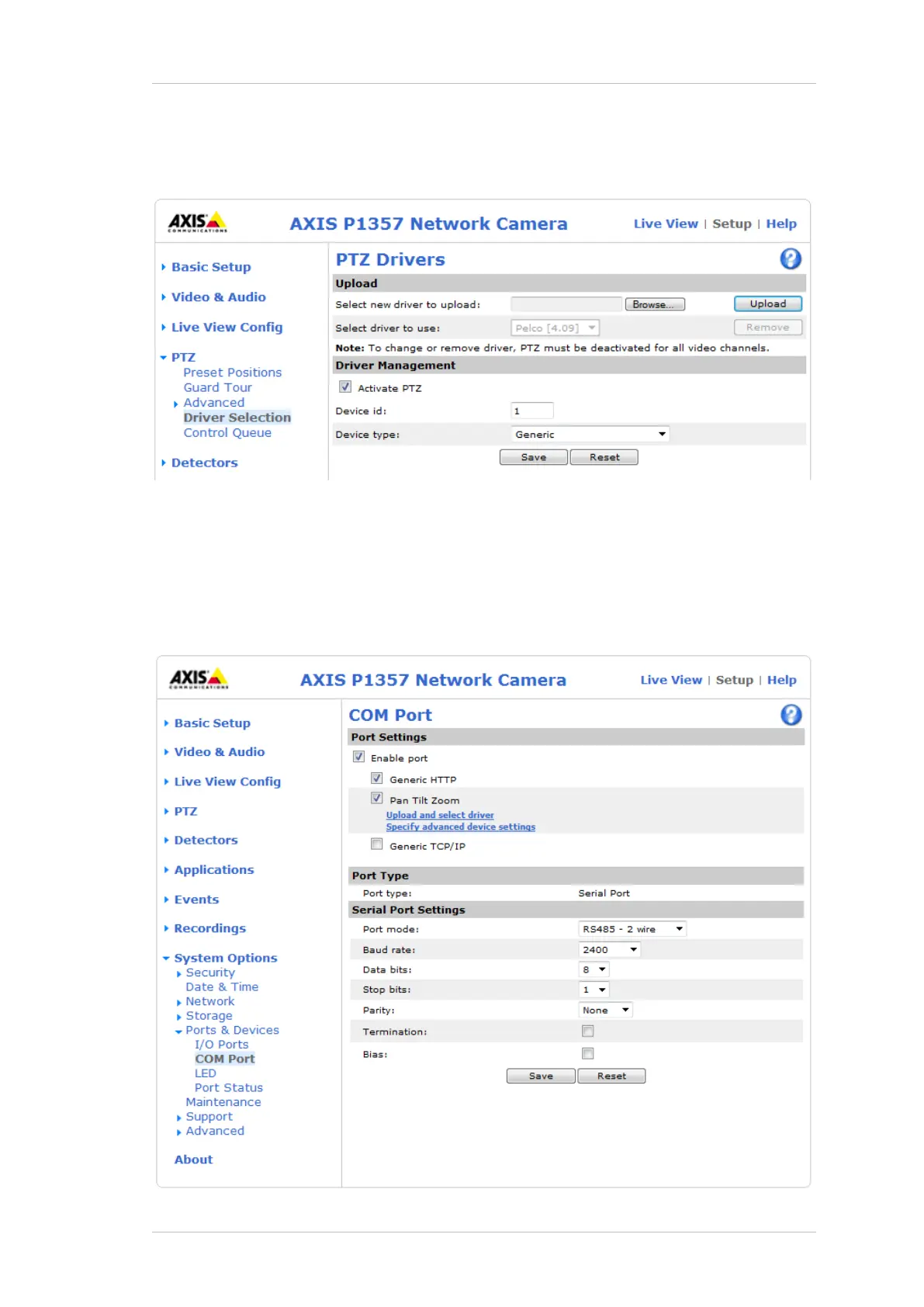
1.3 Upload the driver
Upload the PTZ driver and Activate PTZ.
1.4 Adjust COM port settings (Optional)
Adjust COM port settings if needed to agree with the settings of the device connected to
the camera:



 To Next Page