Need help?
Do you have a question about the Axis P1375 and is the answer not in the manual?
Lists and describes all physical components of the AXIS P1375 Network Camera.
Steps to access the camera's interface via a web browser.
Best practices and steps for setting secure passwords for device access.
Accessing built-in help and procedures for replacing the camera lens.
Configuring privacy masks and reducing noise in low-light conditions.
Selecting exposure modes and maximizing image details for better quality.
Using corridor format and view areas for optimized field of view and bandwidth.
Improving facial recognition and managing scenes with strong backlight.
Adding text overlays and configuring them for motion detection events.
Choosing between Motion JPEG and H.264 for streaming.
Setting up network storage and adding audio to recordings.
Setting up rules, alerts, and motion-based recording actions.
Information on the ACAP for developing and deploying applications.
Restoring default settings, firmware options, and checking the current version.
Resolving firmware upgrade failures and common technical problems.
Resolving problems with setting IP addresses and subnet conflicts.
Troubleshooting login issues, browser access, and video streaming quality.
Factors affecting performance, bandwidth, and frame rate optimization.
Explains Status and Network LED meanings and behavior with Focus Assistant.
Guidelines for SD card usage and functions of the control button.
Details on network, audio, and I/O connectors.
Pin assignments for I/O connectors and power connector specifications.
Technical details for serial communication and outdoor housing connectors.
The AXIS P1375 Network Camera is a robust surveillance device designed for various monitoring needs, offering a comprehensive set of features for image quality, network integration, and event management.
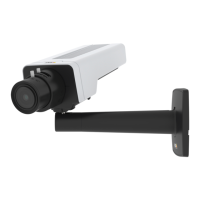
The AXIS P1375 is a network camera that captures video streams and provides advanced functionalities for surveillance. It is equipped with a lens that can be replaced, allowing for flexibility in different monitoring scenarios. The camera supports various video compression formats, including Motion JPEG, H.264, and H.265, enabling users to choose the optimal balance between image quality, bandwidth, and storage requirements. The device also features built-in audio capabilities, with both audio-in and audio-out connectors, allowing for two-way audio communication or integration with public address systems. For local storage, a microSD card slot is available, and the camera can also be configured to store recordings on network storage. The AXIS P1375 is designed to be easily discoverable on a network using tools like AXIS IP Utility or AXIS Device Manager, simplifying the initial setup process. It supports Power over Ethernet (PoE) for simplified installation, as well as traditional DC power input. The camera includes an I/O connector for integrating with external devices such as PIR sensors, door/window contacts, and glass break detectors, enabling a wider range of event-triggered actions. Additionally, an RS485/422 connector allows for control of auxiliary equipment like pan-tilt devices. The camera can be mounted in an AXIS T92G20 Outdoor Housing, which provides power to the heater and IR illumination for outdoor use.
The AXIS P1375 offers a variety of features to optimize its use in different surveillance environments. Users can access the device through a web browser by entering its IP address or hostname. For enhanced security, the camera supports secure passwords and allows for verification that the firmware has not been tampered with. The device includes a built-in help system accessible from its webpage, providing detailed information on features and settings.
Image quality can be significantly enhanced through several settings. The camera allows for the reduction of noise in low-light conditions by adjusting exposure mode, shutter speed, sharpness, and gain. Users can select from automatic, flicker-free, or flicker-reduced exposure modes to suit different lighting conditions, including artificial lighting and strong daylight. To maximize details in an image, users can adjust compression levels, select MJPEG streaming, and disable Zipstream functionality. The camera also supports corridor format, which optimizes the field of view for long and narrow areas like staircases or hallways, making better use of the available resolution. Facial recognition can be improved by setting optimal pixel resolution using the camera's pixel counter, allowing users to define an area of interest and ensure sufficient resolution for recognition.
The AXIS P1375 can handle scenes with strong backlight using Wide Dynamic Range (WDR) technology, which makes both dark and bright areas of an image visible. Overlays can be superimposed on the video stream to provide additional information, such as timestamps or custom text messages, which can be triggered by events like motion detection.
Event management is a core feature, allowing users to create action rules based on various triggers. For example, the camera can be configured to start recording video to an SD card or network storage when motion is detected, with options for pre-trigger and post-trigger times. It can also send emails or show text overlays when specific events occur. The AXIS Camera Application Platform (ACAP) further extends the camera's capabilities by allowing third-party analytics and other applications to be installed, providing a flexible and customizable surveillance solution.
Maintaining the AXIS P1375 is straightforward, with several features designed to ensure its optimal performance and longevity. The device can be easily reset to factory default settings, which is useful for troubleshooting or reconfiguring the camera. This process involves disconnecting power, pressing and holding the control button while reconnecting power, and releasing it when the status LED flashes amber and then turns green. A web interface option is also available for resetting parameters to factory defaults.
Firmware management is crucial for keeping the camera up-to-date with the latest features, bug fixes, and security updates. Axis offers both active track and long-term support (LTS) firmware tracks. Users can check the current firmware version through the product's webpage and upgrade it by downloading the firmware file from axis.com/support/firmware. The upgrade process is designed to retain preconfigured and customized settings, provided the features are available in the new firmware. AXIS Device Manager can be used for multiple upgrades, simplifying the process for larger installations.
The camera's LED indicators provide visual feedback on its status, connection, and network activity, aiding in troubleshooting. The Status LED indicates normal operation, startup, firmware upgrades, resets, and network connection issues. The Network LED shows connection speed and network activity. For focus adjustment, the Status LED also acts as a focus assistant, indicating whether the image is out of focus (red), close to focus (amber), or in focus (green), which is particularly helpful when replacing lenses.
The microSD card slot requires careful handling; users are advised to use fingers for insertion and removal and to unmount the SD card from the product's webpage before physical removal to prevent data loss or corruption. The control button on the device serves multiple maintenance functions, including enabling the Focus Assistant, resetting to factory default settings, and connecting to an AXIS Video Hosting System service. Troubleshooting resources are available on axis.com/support, covering common issues such as firmware upgrade failures, problems setting IP addresses, and network accessibility issues. Performance considerations are also outlined, guiding users on how various settings and system loads can affect bandwidth and frame rate, helping them optimize the camera's performance for their specific needs.
 General
| Active tampering alarm | Yes |
|---|---|
| Alert notification type | |
| Bit rate control | Variable Bit Rate (VBR) |
| Total megapixels | 2 MP |
| Maximum resolution | 1920 x 1080 pixels |
| Supported video modes | 1080p |
| Video formats supported | AVC, HEVC, M-JPEG, MPEG4 |
| Image quality adjustment | Brightness, Contrast, Saturation, Sharpness |
| Video compression formats | H.264, H.265 |
| Supported graphics resolutions | 160 x 90, 1920 x 1080 (HD 1080) |
| Type | IP security camera |
| PTZ modes | Digital PTZ |
| Certification | EN 55032 Class A, EN 61000-3-2, EN 61000-3-3, EN 55024, EN 61000-6-1, EN 61000-6-2, FCC Part 15 Subpart B Class A, ICES-003 Class A, VCCI Class A, RCM AS/NZS CISPR 32 Class A, KCC KN32 Class A, KN35, IEC/EN/UL 60950-1, NIST SP500–267 |
| PTZ protocols | PELCO-D |
| Languages support | CHI (SIMPL), CHI (TR), DEU, ENG, ESP, FRE, ITA, JPN, KOR, POL, POR, RUS |
| Number of languages | 12 |
| Placement supported | - |
| Connectivity technology | Wired |
| Sensor type | CMOS |
| Number of sensors | 1 |
| Optical sensor size | 1/2.8 \ |
| Camera shutter speed | 1/66500 - 2 s |
| Minimum illumination | 0.01 lx |
| Streaming method | Multicast |
| Networking standards | IEEE 802.1x, IEEE 802.3af, IEEE 802.3at |
| Supported network protocols | IPv4, IPv6 USGv6, HTTP, HTTPS , SSL/TLS , QoS Layer 3 DiffServ, FTP, CIFS/SMB, SMTP, Bonjour, UPnP, SNMP v1/v2c/v3 (MIB-II), DNS, DynDNS, NTP, RTSP, RTP, SRTP, SFTP, TCP, UDP, IGMP, RTCP, ICMP, DHCP, ARP, SOCKS, SSH, LLDP |
| Form factor | Box |
| Mounting type | Wall |
| Product color | Black, White |
| Housing material | Zinc |
| Audio system | 2-way |
| Frequency range | 8000 - 48000 Hz |
| Audio formats supported | ADPCM, G.711, LC-AAC, OPUS, PCM |
| Flash memory | 512 MB |
| Compatible memory cards | MicroSD (TransFlash), MicroSDHC, MicroSDXC |
| Power source type | DC, PoE |
| Power consumption (max) | 9.6 W |
| Power consumption (typical) | 5.1 W |
| Storage temperature (T-T) | -40 - 65 °C |
| Operating temperature (T-T) | -10 - 55 °C |
| Operating relative humidity (H-H) | 10 - 85 % |
| Harmonized System (HS) code | 85258900 |
 Weight and Dimensions
| Depth | 214 mm |
|---|---|
| Width | 80 mm |
| Height | 57 mm |
| Weight | 750 g |


 To Next Page