AXISP1375NetworkCamera
Setup
Setup
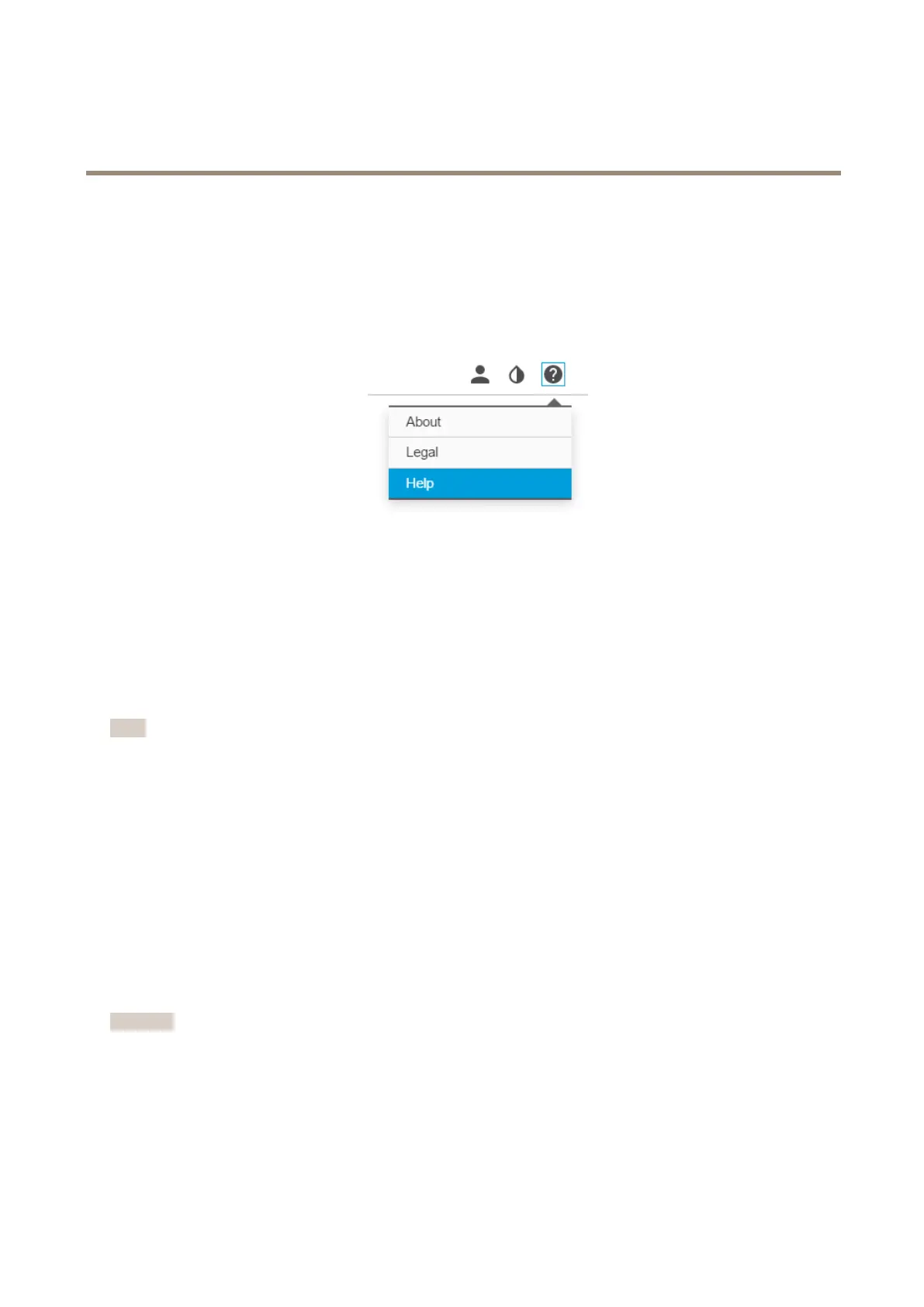
Abouttheproduct'sbuilt-inhelp
Youcanaccessthebuilt-inhelpfromtheproduct’swebpage.Thehelpprovidesmoredetailedinformationontheproduct’s
featuresandtheirsettings.
Replacethelens
1.Stopallrecordingsanddisconnectpowerfromtheproduct.
2.Disconnectthelenscableandremovethestandardlens.
3.Attachthenewlensandconnectthelenscable.
4.Reconnectthepower.
5.Logintotheproduct’swebpage,gototheImagetabandthenselecttheP-Irislensyouhaveinstalled.
Note
IfyouuseaDCirislens,selectGenericDCIris.
6.Forthechangestotakeeffect,youneedtorestartthedevice.GotoSystem>MaintenanceandclickRestart.
7.Adjustthezoomandfocus.
Hidepartsoftheimagewithprivacymasks
Whatisaprivacymask?
Aprivacymaskisauser-denedareathatcoversapartofthemonitoredarea.Inthevideostream,privacymasksappeareitheras
blocksofsolidcolororwithamosaicpattern.
You’llseetheprivacymaskonallsnapshots,recordedvideo,andlivestreams.
YoucanusetheVAPIX®applicationprogramminginterface(API)toturnofftheprivacymasks.
Important
Usingmultipleprivacymasksmayaffecttheproduct’sperformance.
Createaprivacymask
Tocreateaprivacymask,gotoSettings>Privacymask.
6



 To Next Page