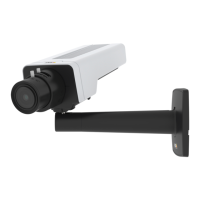
AXISP1375NetworkCamera
Specifications
Specifications
Tondthelatestversionoftheproduct’sdatasheet,gototheproductpageataxis.comandlocateSupport&Documentation.
LEDIndicators
Note
•TheStatusLEDcanbeconguredtobeunlitduringnormaloperation.Tocongure,gotoSettings>System>Plain
cong.Seetheonlinehelpformoreinformation.
•TheStatusLEDcanbeconguredtoashwhileaneventisactive.
•TheStatusLEDcanbeconguredtoashforidentifyingtheunit.GotoSettings>System>Plaincong.
StatusLED
Indication
Unlit
Connectionandnormaloperation.
GreenSteadygreenfor10secondsfornormaloperationafterstartupcompleted.
Amber
Steadyduringstartup.Flashesduringrmwareupgradeorresettofactorydefault.
Amber/RedFlashesamber/redifnetworkconnectionisunavailableorlost.
RedFirmwareupgradefailure.
NetworkLEDIndication
Green
Steadyforconnectiontoa1Gbit/snetwork.Flashesfornetworkactivity.
Amber
Steadyforconnectiontoa10/100Mbit/snetwork.Flashesfornetworkactivity.
UnlitNonetworkconnection.
StatusLEDbehaviorforfocusassistant
Note
OnlyvalidforoptionalP-iris,DC-irisormanualirislenses.
ThestatusLEDasheswhentheFocusAssistantisactive.
Color
Indication
RedTheimageisoutoffocus.
Adjustthelens.
AmberTheimageisclosetofocus.
Thelensneedsnetuning.
Green
Theimageisinfocus.
SDcardslot
NO NO
NO
TICE TICE
TICE
•RiskofdamagetoSDcard.Donotusesharptools,metalobjects,orexcessiveforcewheninsertingorremovingthe
SDcard.Useyourngerstoinsertandremovethecard.
•Riskofdatalossandcorruptedrecordings.DonotremovetheSDcardwhiletheproductisrunning.UnmounttheSDcard
fromtheproduct’swebpagebeforeremoval.
18



 To Next Page