AXISP1365MkIINetworkCamera
Hardwareoverview
Hardwareoverview
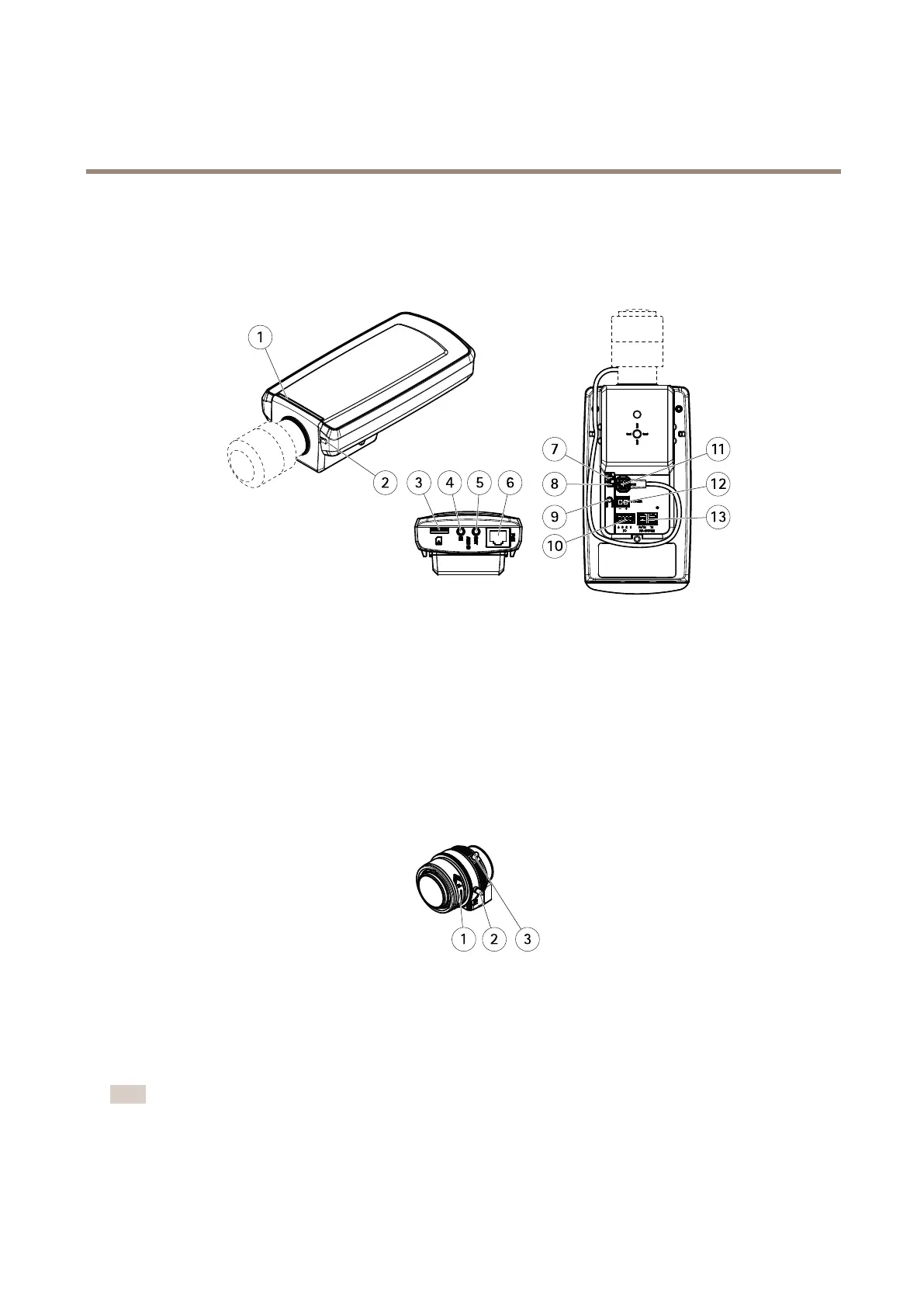
Forspecicationsofthehardwarecomponents,seeTechnicalspecicationsonpage72.
1
StatusLED
2
Built-inmicrophone
3
microSDcardslot
4
Audioin
5
Audioout
6
Networkconnector(PoE)
7
PowerLED
8
NetworkLED
9
Controlbutton
10
I/Oconnector
11
Irisconnector
12
Powerconnector(DC)
13
RS485/422connector
1
Focusring
2
Lockscrewforfocusring
3
Zoompuller
Howtoreplacethelens
Note
Thereisnoneedtorestarttheproductafterchangingthelens.However,theproductmustberestartedifyouare
interchangingbetweendifferenttypesoflenses.Inordertosetthefocusandpositionthelens,theproductmustbe
connectedtothenetwork.
7












 To Next Page