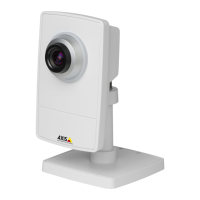
AXISP1435–LENetworkCamera
Video
Tochangecapturemode,followthesesteps:
1.GotoSetup>Video>CameraSettings.
2.Selectthenewcapturemode.
3.ClickSave.
ImageAppearance
TochangeImageAppearancegotothemenusunderSetup>Video>CameraSettings.
IncreasingtheColorlevelincreasesthecolorsaturation.Thevalue100givesmaximumcolorsaturationandthevalue0gives
minimumcolorsaturation.
TheimageBrightnesscanbeadjustedintherange0–100,whereahighervalueproducesabrighterimage.
IncreasingtheSharpnesscanincreasebandwidthusage.Asharperimagemightincreaseimagenoiseespeciallyinlowlight
conditions.Alowersettingreducesimagenoise,butthewholeimagewillappearlesssharp.
TheContrastchangestherelativedifferencebetweenlightanddark.Itcanbeadjustedusingtheslidebar.
WhiteBalance
TochangethissettinggotoSetup>Video>CameraSettings
Whitebalanceisusedtomakecolorsintheimageappearthesameregardlessofthecolortemperatureofthelightsource.TheAxis
productcanbesettoautomaticallyidentifythelightsourceandcompensateforitscolor.Alternatively,selectthetypeoflight
sourcefromthedrop-downlist.Foradescriptionofeachavailablesetting,seetheonlinehelp
.
ThewhitebalancewindowisenabledfortheAutomaticandAutomaticoutdooroptionsthatappearintheWhitebalancedrop-down
list.Selectoneoftheoptionsfromthedrop-downlisttosetthewhitebalancewindowproperties.SelectAutomatictousethe
defaultsettingsfortheAutomaticandAutomaticoutdooroptions(intheWhitebalancedrop-downlist).SelectCustomtomanually
setareferencewindowforwhitebalanceintheviewarea.
WideDynamicRange
Widedynamicrange(WDR-ForensicCapture)providesbalancedimagesinsceneswhenthereisaconsiderablecontrastbetween
lightanddarkareasintheimage.Thecameraautomaticallyhandlesthetransitionbetweensuchscenesandlow-lightconditions.In
rarelightconditionsdisablingWDRmightgiveabetterimage.
Important
UseWDRincombinationwithautomaticexposurecontrol.Otherexposuresettingscouldgiveundesirableresults.
ExposureSettings
Exposurevalue-UsetheExposurevalueslidertoadjusttheoverallbrightnessoftheimage.
Exposurecontrol-Exposureistheamountoflightthecamera’ssensorcapturesforascene.Toomuchlightresultsinawashedout
photoandtoolittlelightresultsinadarkscene.Selectasuitableoptiontocontrolexposure.
TheFlicker-free50or60Hzoptionremovesickerthatiscausedbyuorescentandotherlightsources.TheHoldcurrentoption
locksthecurrentexposuresettings.
Maxexposuretime-Shutterspeed,alsocalled‘exposuretime’standsforthelengthoftimethecamerashutterisopen,thereby
exposingthecamerasensortolight.Ifshutterspeedisfastitcanfreezeactioneffectively.Ifshutterspeedisslow,itcancause
movingobjectstoappearblurred.Decreasingtheexposuretimewillreducemotionblur.
Exposurezones-Thissettingdetermineswhichpartoftheimageisusedtocalculatetheexposure.Formostsituations,theAuto
settingcanbeused.
YoucanselectapredenedareabydeningIncludeandExcludewindowswithintheimage.Excludewindowsexcludeareasthatare
toobrightordark,andIncludewindowsincludeareasinthescenethathavebetterlightingwhichwillcontributetotheexposuredata.
TheremustbeatleastoneIncludewindow.TherecanbeatotaloftenIncludeandExcludewindowstotailortheexposurezone.
20


 To Next Page