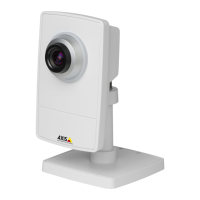
AXISP1435–LENetworkCamera
Video
NotethatanExcludewindowiseffectiveonlywhenplacedinsideanincludewindow.
Tip:IfanareaisextremelybrightdrawanIncludewindowtocoverthewholeareaanddeneExcludewindowswithinitto
blockoutthebrightareas.
Shutter&Gain
Theshutterandgainsettingsaffecttheamountofmotionblurandnoiseintheimage.Toadapttodifferentlighting,available
storagespaceandbandwidth,itisoftennecessarytoprioritizeeitherlowmotionblurorlownoise.TheAxisproductallows
usingdifferentprioritizationinnormallightandinlowlight.
Shutterspeedisrelatedtotheamountoftimetheshutterisopenedandismeasuredinseconds(s).Aslowshutterspeedallows
morelighttoreachthesensorandcanhelpproduceabrighterimageinlowlightsituations.Ontheotherhand,aslowshutter
speedcancausemovingobjectstoappearblurry.
SetWideDynamicRangetoWDROffandsetShutterto
•Autotosettheshutterspeedautomatically.Ifrequired,useMaxshuttertolimittheshutterspeedtopreventtheframe
ratefrombeingreduced.
Forexample,toget30fps,setMaxshutterto1/30.
•Fixedtouseaxedshutterspeed.
Gain,measuredindecibel(dB),istheamountofamplicationappliedtotheimage.Ahighgainmayprovideabetterimageinlow
lightsituationsbutwillincreasetheamountofimagenoise.
SetGainto
•Autotosetthegainautomatically.Ifrequired,useMaxgaintolimittheappliedgain.
•Fixedtouseaxedgain.
WhenShutterandGainarebothsettoAuto,itispossibletosetthePrioritybetweenlowmotionblurandlownoisemanuallyandto
useadifferentPriorityinNormalLightandinLowLight.
Example
Consideranareawherepeopleorvehiclesmoveduringtheday,butwherethereshouldbenomovementsduringnight.Tobeableto,
forexample,recognizefacesorlicenseplates,movethenormallightpriorityslidertowardlowmotionblur.Atnighttime,motion
detectionismoreimportantthanidentication.Motionblurisacceptableandsincelowlightcancausealotofnoise,move
thelowlightpriorityslidertowardlownoise.
Example
Ifstoragespaceorbandwidthislimited,tryusingalowergain.Thiswillreduceimagenoiseandproducesmallerimageles.
Irisadjustment
SelectEnableautomaticirisadjustmenttoautomaticallycompensateforchanginglightconditions.Thisoptionisnotavailable
ifaxedirisisused.
UsetheIrisadjustmentslidertosetthepreferredF-value.Thescalerepresentstheamounttheirisisopen.Ifsetto0,theirisis
openedasmuchaspossible.Ifsetto100,theirisisclosedasmuchaspossible.TheactualF-valueisshownbelowtheslider.If
automaticirisadjustmentisenabled,theiriswillstayatthispositionaslongaslightconditionsarefavorable.Iflightconditions
change,theiriswilladjustitselftothebestirissettings.Ifautomaticirisadjustmentisdisabled,theiriswilllockontheset
positionregardlessoflightconditions
Day/Night
TheIRcutlterpreventsinfrared(IR)lightfromreachingtheimagesensor.Inpoorlightingconditions,forexampleatnight,orwhen
usinganexternalIRlamp,settheIRcutltertoOff.Thisincreaseslightsensitivityandallowstheproductto“see”infraredlight.The
imageisshowninblackandwhitewhentheIRcutlterisoff.
21


 To Next Page